
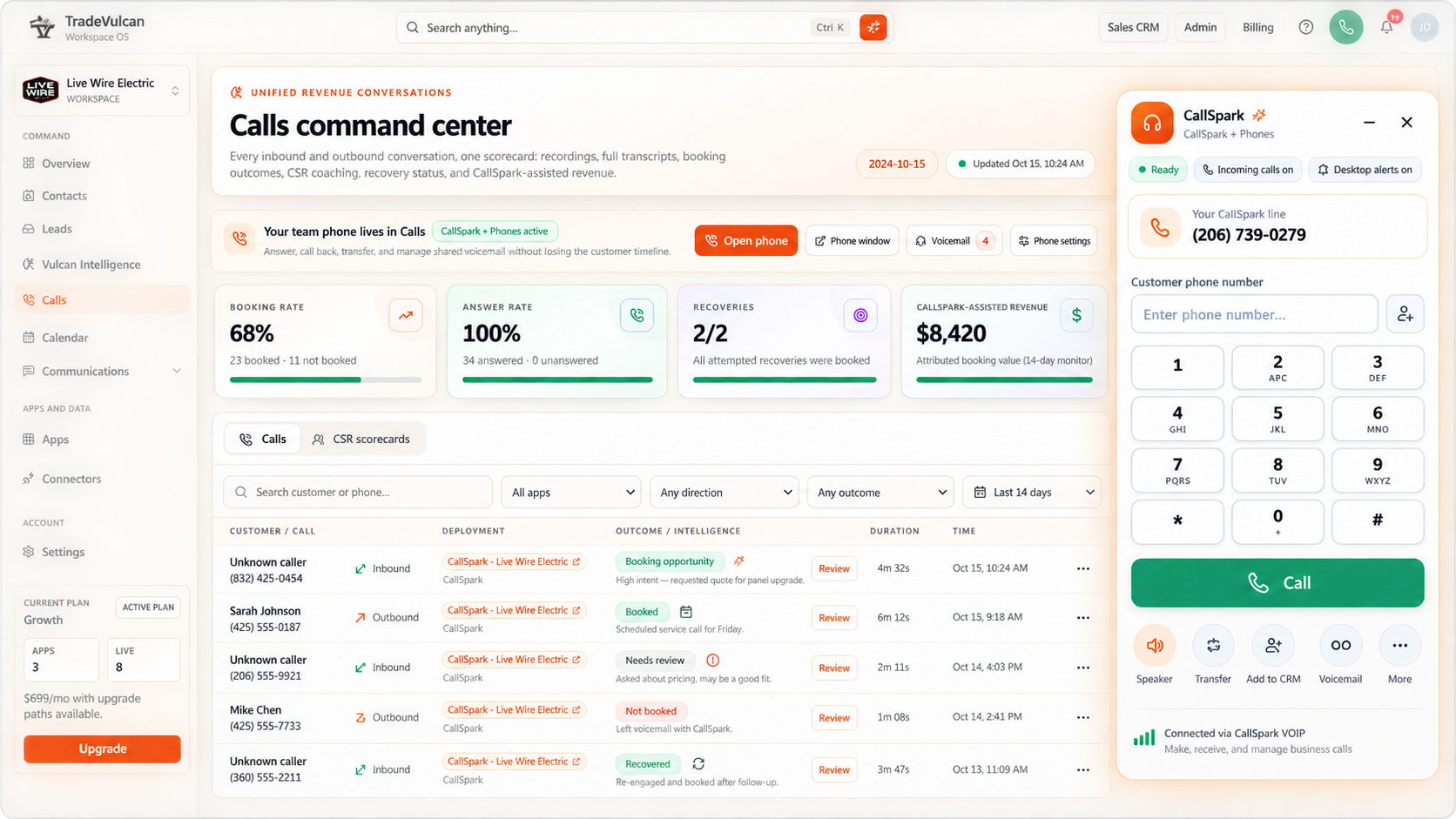
Booking rate
Know how many real booking opportunities become appointments.
CALLSPARK + PHONES / BUILT FOR HOME SERVICES
Professional VoIP calling. A stronger CSR team. More opportunities recovered.
Bring your phones, booking KPIs, AI call analysis, and follow-up together in one system built for home service businesses.
TradeVulcan. Yealink-certified sales expertise.
Yealink Certified IP Phone Sales Engineer · Phone solutions for your teamManage the business. Not just the phones.
Your phone is where marketing turns into revenue. CallSpark shows which conversations become bookings, where opportunities slip away, and how to help your customer service team improve.
Know how many real booking opportunities become appointments.
Find the conversations that still need a next step.
See strengths, coaching opportunities, and call quality.
Follow missed opportunities through to booked work.
Connect recovery activity to the revenue it helped create.
Compare call outcomes and performance across reporting periods.
CSR scorecards + advanced phone analytics
Turn everyday calls into practical training. Use CSR scorecards, call outcomes, and Vulcan Intelligence coaching insights to recognize great work and build the habits that earn the booking.
Service inquiry · Team coaching
Make the next step easy. Offer a clear appointment option before ending the conversation.
Powered by Vulcan Intelligence
Hear what happened. Read what was said. Understand why it mattered. CallSpark brings recordings, transcripts, call analysis, and sentiment analysis together so managers can coach with context instead of guesswork.
Review recorded calls and transcripts with summaries, key moments, customer intent, and booking outcomes.
Explore customer and CSR sentiment, how the conversation developed, and the moments that built confidence or created friction.
Turn objections, unanswered questions, and missed next steps into focused coaching and follow-up opportunities.
“The heat stopped working last night. Could someone come out this afternoon?”
Coaching focus: offer a specific appointment option.
Call recovery that keeps the conversation going
CallSpark gives missed, abandoned, voicemail, and answered-but-unbooked calls a path back to your team. Start with an automated SMS text-back, then keep moving toward the appointment.
Sorry we missed you! What can we help you with today?Automated SMS text-back
Our kitchen sink is backing up. Do you have anyone available today?
Let's get that taken care of. What address needs service?Vulcan Intelligence
Reconnect with callers while the service request is still fresh, even when your office is busy.
Answer follow-up questions, gather job details, qualify the request, and move the customer toward booking by SMS.
Bring the conversation into your connected booking workflow, or hand it to your team with the details already in place.
Track recovery activity, booked outcomes, and CallSpark-assisted revenue so you can see what happened after the missed call.
CallSpark + Vulcan Voice
Connect Vulcan Voice to give customers a conversation instead of a dead end. Build your answering flow around your hours, your team, and the kind of service experience you want to deliver.
Let your team answer first, with Vulcan Voice ready for overflow and unanswered calls.
Keep service requests moving through evenings, weekends, and the hours your office is closed.
Choose AI-first, team-first, or a blended flow with greetings, routing, and human handoffs.
One connected workflow for answering, customer context, follow-up, and booking.
Explore Vulcan VoiceSee how clearer calls and connected follow-up help your team turn more conversations into customers.
A phone system that knows your business
The front desk, the dispatch team, the callback that cannot wait. Give your office the calling tools it needs, with the customer context it deserves.
Browser inbound + outbound
Answer inbound calls and dial customers from the browser. Keep the phone and the customer conversation in the same workspace.
Team routing + IVR
Ring your team together, in sequence, by round robin, or by longest idle. Shape IVR menus and overflow around how your office works.
In-app call controls
Hold, mute, and make warm or blind transfers inside the app. Give a teammate the context before bringing the customer into the conversation.
Hours + shared voicemail
Set business hours, greetings, voicemail, and after-hours handling. Give callers a useful path when the team cannot pick up.
Recording + intelligence
Review recordings, transcripts, summaries, and call outcomes. Use Vulcan Intelligence to understand the conversation and coach your team.
Connected customer records
Keep call activity beside shared contact and CRM context. Your team can pick up the next conversation without starting from scratch.
Professional calling in front. Vulcan Intelligence, team coaching, and recovery behind every conversation.
Add AI voice backupEvery conversation has somewhere to go
A better phone system connects the moments that matter. CallSpark keeps your team, the conversation, and the follow-up together.
Your greeting, hours, and IVR move the caller toward the right team.
Connect your office with browser calling and a Yealink desk or cordless phone setup.
Recordings, transcripts, and AI analysis turn conversations into useful customer context.
Follow up on unbooked calls and review recovery and assisted revenue.
Real phones. Planned around real work.
Some conversations belong on a handset. Explore Yealink desk and cordless options sized to your team, your premises, and the way your office answers.
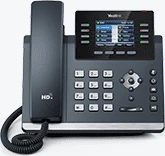
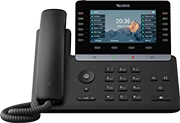
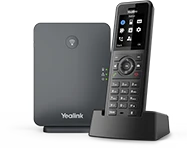
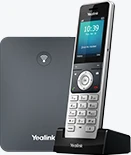 YEALINK T44W + W76P
T44W + W76P / W77P
A practical desk phone for the office, paired with cordless calling around your premises.
T44W: 2.8-inch color display, Gigabit Ethernet, built-in Wi-Fi and Bluetooth. W76P pairs a W56H handset with a W70B DECT base.
 YEALINK T85W + W77P
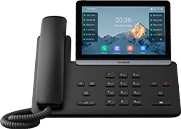
T74W / T85W + W77P
More screen space at the front desk, with a rugged cordless option for movement between office and shop.
T74W: 4.3-inch display. T85W: 5.5-inch display. Both include Wi-Fi 6 and Bluetooth 5.0. W77P uses the rugged W57R DECT handset.
 YEALINK T87W + W90
T85W / T87W + W90 multicell
Premium desk phones for leadership and dispatch, with a DECT multicell coverage plan for larger offices, shops, and warehouses.
T87W: 7-inch color touchscreen, Wi-Fi 6 and Bluetooth 5.0. W90 is a DECT IP multicell system designed for roaming across planned base coverage.
Browse desk phones, cordless handsets, and larger office systems in the CallSpark phone marketplace. Build your equipment request, get a tailored quote, and purchase right from your workspace.
Outfitting a shop or a larger office? Add rugged cordless handsets, meeting-room phones, and a coverage plan designed around your premises. Product photography: Yealink.
One ecosystem. More ways to grow.
CallSpark is made to play nicely with TradeVulcan. Connect the apps that fit your business, from the first website visit to the call, the booking, and the follow-up.
Keep answering
Add AI voice backup, after-hours answering, and conversational intake to your CallSpark workflow.
Explore Vulcan VoiceKnow what drives the ring
Connect tracking numbers and call outcomes to campaigns so you can see which marketing brings opportunities.
Explore Lead ForgeMake a stronger first impression
Pair your business phone system with an agent-built website designed around your services and customers.
Explore Web SparkCapture the customers who don't call
Bring website forms, chat, and booking into the same ecosystem as your phone conversations.
Explore Site SparkKeep working the opportunity
Add estimate follow-up alongside call recovery to keep more of your sales pipeline moving.
Explore Close ForgeHelp the next customer say yes
Put reviews and real-world proof to work on your website, building confidence before the first call.
Explore Proof PulseA stronger phone system starts here.
Start with the way your team works. Choose your phones, shape the answering experience, and connect the tools that help you book and keep more customers.
Choose your answering seats, business hours, and the right mix of browser calling, desk phones, and cordless handsets.
Bring in your customer records, tailor your recovery messages, and connect Vulcan Voice for backup or after-hours answering.
Launch your call flow, review your booking KPIs, and use call intelligence and CSR scorecards to help your team grow.
The software. The phones. A clear plan.
Keep your existing app access. Add calling when your team needs it. Equipment and carrier costs stay separate.
THE FOUNDATION
Call analysis, CSR coaching, booking insights, and recovery that keeps opportunities moving.
Also included in eligible Starter, Growth, Pro plans. Keep your apps together in one TradeVulcan package.
THE CALLING ADD-ON
Put inbound answering, outbound calling, and intelligent routing inside your workspace.
+ $10 / CSR user / month
In addition to CallSpark access. Hardware, carrier charges, and applicable usage are separate.
The expertise behind your setup
Explore the certifications and achievements behind the TradeVulcan team.
TradeVulcan
Yealink-certified sales expertise to help your business choose the right IP phone solution.
Open certificateGood questions. Straight answers.
How CallSpark helps you answer, coach, recover, and grow.
Plan my phone setupBoth. CallSpark + Phones brings business VoIP calling, team routing, IVR, voicemail, and call controls into TradeVulcan. Call intelligence, CSR scorecards, booking KPIs, and recovery help you improve what happens before, during, and after the call.
See booked and unbooked outcomes, compare reporting periods, and review the calls behind the numbers. Booking rate is based on determined booking opportunities rather than every inbound call, so spam and other excluded calls do not distort the picture. Use those insights to focus team coaching and follow-up.
Review call quality, recordings, transcripts, summaries, intent, sentiment, key moments, and booking outcomes. Vulcan Intelligence helps identify strengths, recurring objections, and missed next steps so coaching is grounded in the actual conversation.
Yes. CallSpark organizes recovery opportunities and can start the conversation with an automated SMS text-back. Vulcan Intelligence can handle the SMS conversation, collect service details, help with booking, or bring your team into the follow-up. Recovery reporting connects the activity to booked outcomes and assisted revenue.
Add Vulcan Voice to your answering flow for AI backup, overflow, after-hours coverage, or AI-first answering. Keep your team in control of the experience with business hours, routing, greetings, and human handoffs. It is a natural extension of your CallSpark setup.
Browse Yealink desk phones, cordless systems, rugged handsets, and meeting-room options in the phone marketplace on the CallSpark deployment overview. Select the equipment you need, request a tailored quote, and purchase your approved quote through checkout without opening an individual deployment.
For 1–20-person businesses, start with T44W desk phones and a W76P or W77P cordless system. For 20–50-person teams, explore T74W or T85W desk phones with W77P cordless coverage. Larger operations can combine T85W or T87W desks with a W90 multicell design. The right mix depends on who answers calls and the layout of your premises, not headcount alone.
The Phones add-on is $39.99 per month per workspace plus $10 per month per CSR user, in addition to CallSpark access. Hardware, carrier charges, and applicable usage are separate. Purchase CallSpark on its own or choose a TradeVulcan plan that includes it.
The Yealink Certified IP Phone Sales Engineer achievement represents the sales expertise on the TradeVulcan team. Open the original certificate in Certifications & achievements to view the credential, certificate ID, and validity dates.
DECT cordless phones let your team move within the coverage of the office or shop base stations. Choose a cordless bundle for smaller premises or a multicell coverage plan for a larger facility. They are a great fit for moving between the front office, parts counter, and workshop.
Every ring is a chance to earn the job
Give your team the phones, intelligence, and follow-up tools to turn more conversations into customers.