


After-hours silence
The customer reaches voicemail when the issue feels urgent and immediately calls the next company.
Answer demand when the office cannot
Vulcan Voice answers, qualifies, summarizes, and routes calls within your rules so humans step in with the customer story already organized.
Water is coming through the ceiling below the upstairs bathroom.
Answer, qualify, summarize, and hand off supported calls with the phone, AI, CRM, and operator controls selected for the deployment.
Every ring is active customer intent
After-hours calls, peak-load spikes, hold times, and blind transfers can lose the customer before your best CSR ever gets a chance to help.
The customer reaches voicemail when the issue feels urgent and immediately calls the next company.
The office is open, but every person is already helping somebody and new demand waits too long.
Service need, urgency, location, equipment, timing, and customer expectations are captured differently on every call.
The caller repeats the entire story because the next person receives a ringing line without the context behind it.
What Vulcan Voice changes
Vulcan Voice answers within your rules, gathers the information the team needs, completes supported actions, and hands the customer to a human with the story already organized.
The next opportunity is already in motion
Start with Vulcan Voice, prove the first workflow, and add the rest of the TradeVulcan stack only where it creates a better customer or operator outcome.
One call. Three steps from ringing phone to useful next action.
Vulcan Voice keeps the spoken conversation, company policy, service context, connector result, and human handoff connected.
Answer with context
Company profile, hours, services, locations, policies, and approved language shape the conversation from the first response.
Qualify and triage
Service need, address, safety signals, equipment, timing, customer preferences, and escalation rules are gathered consistently.
Act or hand off
Booking, callback, lead creation, human transfer, and follow-up depend on the configured connector result and authority boundaries.
Build the first repeatable win
Start with the leak costing the business today. Keep the current systems, define the controls, and expand only after the first path works.
See the real product
Review the screens used to configure what the agent knows, inspect customer conversations, understand outcomes, and improve the rules around human escalation.
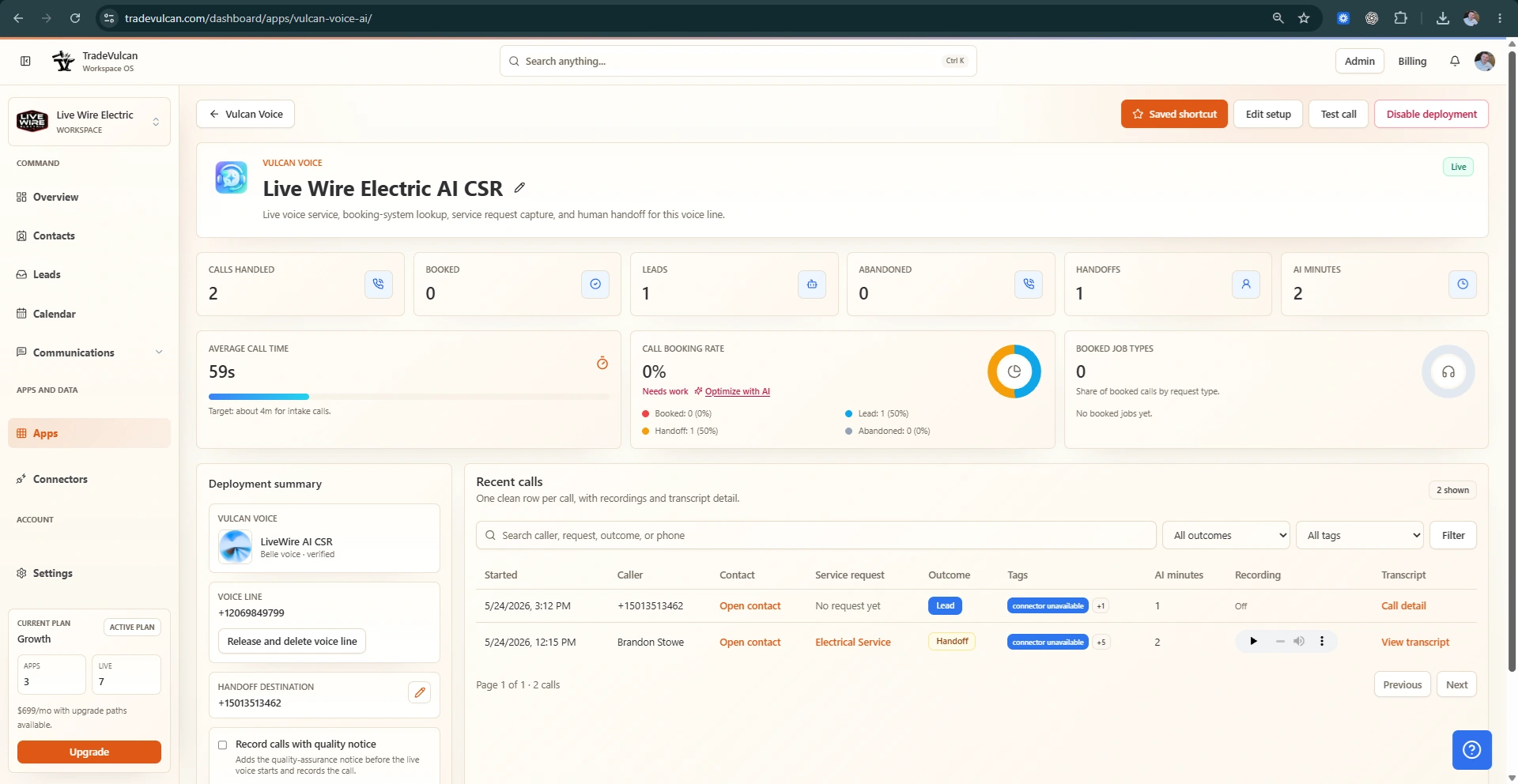
Before and after Vulcan Voice
Vulcan Voice is not a license for AI to improvise. It fills defined coverage gaps and keeps every supported action tied to policy, connector success, and a visible call record.
After-hours callers hear voicemail and start calling competitors.
The caller can begin a useful conversation immediately.
Every CSR asks different qualification questions.
Service need, urgency, location, and preferences follow a consistent intake.
A transfer sends only the ringing call.
The human receives a summary, transcript context, and reason for escalation.
An AI assistant implies a price or booking it did not confirm.
Policy and connector results limit what the voice agent may promise.
Owner view
What the workflow creates
What owners actually get
The goal is immediate response, consistent qualification, safer automation, clearer handoffs, and a record the team can review and improve.
Cover approved after-hours, overflow, and peak-demand paths without asking the caller to wait for voicemail.
Collect the business-critical service, location, urgency, and preference details on every supported call.
Give CSRs and dispatchers the reason, summary, transcript context, and customer details before they step in.
Inspect call outcomes, summaries, transfers, usage, policy decisions, and the moments that need improvement.
Built around the phone operation you already run
Start with a narrow call path, test the policy and handoff, and expand the AI role only after the team trusts the behavior and connector results.
AI authority should be narrow and explicit
Your workspace controls the business profile, knowledge, tone, safety language, transfer rules, booking authority, recording behavior, and the actions that require a human.
Company profile, service, location, hours, policy, and voice controls
Emergency, safety, pricing, booking, and escalation boundaries
Human transfer destinations, fallback paths, and contextual handoff rules
Consent, recording, transcript, retention, usage, and call-review controls
Automation with an accountable owner
Configure the customer experience, operator ownership, connector actions, messaging, and review rules around the way your business actually runs.
Vulcan Voice FAQ
Start with a controlled coverage path and expand only when the team trusts the results.
No. It is built to support operators, capture repeatable call context, and transfer when a human should take over.
Booking depends on supported connector setup, policy, and workspace configuration. It should not claim a booking happened unless the connector action succeeds.
The next caller should hear help, not silence
Add Vulcan Voice to your TradeVulcan stack and give every approved call path a faster answer, cleaner qualification, and a better handoff.