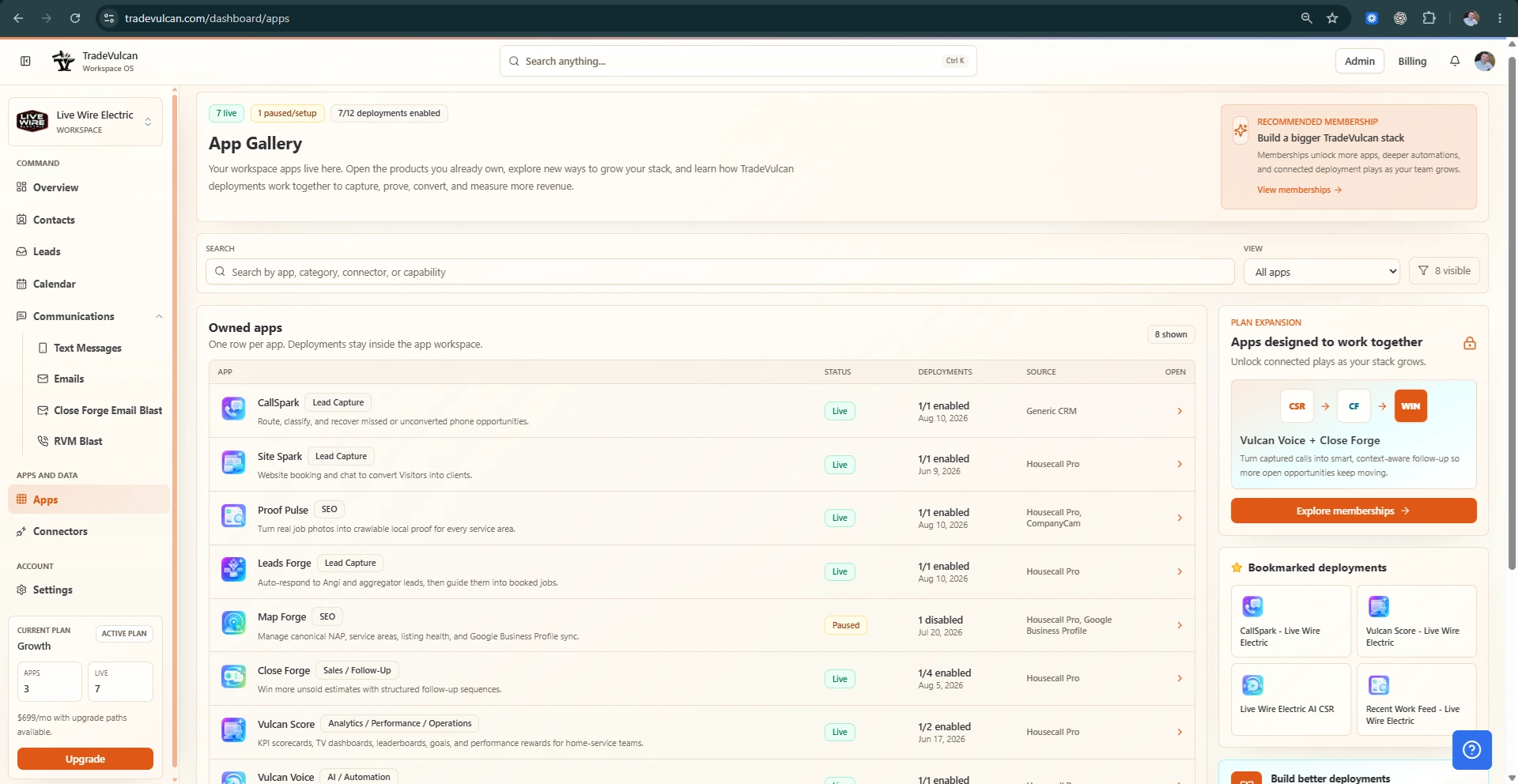
Recover missed calls, book more visitors, follow up on estimates, publish local proof, and see the KPIs that matter.

TradeVulcan logoTradeVulcan
Menu

Contractor workflows for the revenue leaks that cost booked jobs.

Calls, booking, estimates, reviews, proof, scorecards, AI voice, and CRM context.
Sign in

TradeVulcan apps

Pick the revenue leak to fix first.

Start with the workflow most likely to pay for itself: missed calls, unbooked visitors, cold estimates, weak local proof, inconsistent reviews, messy lead data, or unclear scorecards.

Current view

All categories
All availability

8 apps match these filters.

Revenue leak diagnostic

What is costing you the most right now?

Choose the leak that sounds closest to your operation. We will point you to the workflow, first KPI, and setup path behind it.

See workflows

Capture & booking

Turn website and inbound demand into booked or recoverable opportunities.

2 workflows
Website visitors leave before booking
Active
Featured
Site Spark icon

Site Spark

Turn website visitors into booked appointments with smart booking, chat, and forms.

Leak it fixes

People hit the site, click around, and disappear into a generic form or no form at all.

Best first KPI: Website conversion rate
Connects to: ServiceTitan and Housecall Pro booking paths where supported, Google address validation where configured, Unified Lead Center
Setup guide and launch checklist available
Built for home-service revenue operations
We need cleaner lead data and prospecting
Active
Featured
Leads Forge icon

Leads Forge

Find, hydrate, and organize outbound-ready contractor growth opportunities.

Leak it fixes

New opportunities, partner leads, and outbound targets live in scattered lists and spreadsheets.

Best first KPI: New leads captured
Connects to: Supported lead sources, ServiceTitan or Housecall Pro booking where enabled, Twilio and messaging rails where configured
Setup guide and launch checklist available
Built for home-service revenue operations

Call recovery & AI voice

Answer, classify, recover, and route phone demand with better context.

2 workflows
We miss calls or respond too slowly
Active
Featured
CallSpark icon

CallSpark

Recover missed and unconverted calls with fast SMS follow-up.

Leak it fixes

After-hours calls, peak-season spikes, and unbooked phone conversations are turning into someone else's job.

Best first KPI: Missed-call recovery rate
Connects to: Twilio voice/SMS rails, ServiceTitan or Housecall Pro when enabled, Vulcan Voice for AI-assisted handoff paths
Setup guide and launch checklist available
Built for home-service revenue operations
We miss calls or respond too slowly
Active
Featured
Vulcan Voice icon

Vulcan Voice

Use AI voice to answer, qualify, and route calls when the office cannot.

Leak it fixes

After-hours calls, peak-season spikes, and unbooked phone conversations are turning into someone else's job.

Best first KPI: AI-handled calls
Connects to: Twilio ConversationRelay, Vulcan Intelligence, ServiceTitan or Housecall Pro where supported
Setup guide and launch checklist available
Built for home-service revenue operations

Estimate follow-up

Keep quoted work moving after the first estimate.

1 workflows
Quoted work dies after the estimate
Active
Featured
Close Forge icon

Close Forge

Follow up on unsold estimates before they go cold.

Leak it fixes

Replacement quotes, repair options, and project bids go cold because follow-up depends on memory.

Best first KPI: Follow-up rate
Connects to: ServiceTitan, Housecall Pro, Proof Pulse for approved proof links
Setup guide and launch checklist available
Built for home-service revenue operations

Local proof & reputation

Publish completed work, improve reputation motion, and show service-area trust.

3 workflows
Customers do not see enough local proof before they call
Active
Featured
Proof Pulse icon

Proof Pulse

Turn completed work into reviews, responses, and public proof customers can trust.

Leak it fixes

Your crew does good work, but the website does not show enough recent jobs in the cities you serve.

Best first KPI: Request coverage
Connects to: ServiceTitan, Housecall Pro, Google Business Profile
Setup guide and launch checklist available
Built for home-service revenue operations
Customers do not see enough local proof before they call
Active
Featured
Proof Pulse icon

Proof Pulse

Turn completed work into reviews, responses, and public proof customers can trust.

Leak it fixes

Your crew does good work, but the website does not show enough recent jobs in the cities you serve.

Best first KPI: Request coverage
Connects to: ServiceTitan, Housecall Pro, Google Business Profile
Setup guide and launch checklist available
Built for home-service revenue operations
Customers do not see enough local proof before they call
Active
Featured
Map Forge icon

Map Forge

Track local visibility and service-area performance.

Leak it fixes

Your crew does good work, but the website does not show enough recent jobs in the cities you serve.

Best first KPI: Listing completeness
Connects to: Google Business Profile when enabled, Proof Pulse service-area proof, TradeVulcan location profiles
Setup guide and launch checklist available
Built for home-service revenue operations

Reporting & performance

Put KPIs, scorecards, goals, and manager views where teams can act on them.

1 workflows
My team cannot see performance clearly
Active
Featured
Vulcan Score icon

Vulcan Score

Put KPIs, scorecards, leaderboards, and team performance where operators can see them.

Leak it fixes

Revenue, conversion, average ticket, goals, and coaching signals are buried in reports managers do not trust.

Best first KPI: Revenue
Connects to: ServiceTitan, Housecall Pro, QuickBooks Online for accounting context where configured
Setup guide and launch checklist available
Built for home-service revenue operations

Trust and security

Apps share clean customer and workflow context.

Your team sees the customer, job, workflow, and next step. Credentials stay server-side, access follows workspace permissions, and AI or messaging steps use operator-approved rules.

View security approach

Permissioned workspaces

TradeVulcan is built around workspace access, roles, and app-specific views so teams can separate setup, manager, and operator work.

Server-side credential handling

Connector credentials and provider secrets are handled server-side through connector settings and are not shown in normal manager UI.

Consent-aware messaging

SMS, email, AI voice, and review workflows should be configured with opt-in, opt-out, send windows, and human review rules that fit the workspace.

Clean customer context, not connector noise

Managers see the customer, job, workflow, and next step through normalized facts, snapshots, audit history, and sanitized records.