
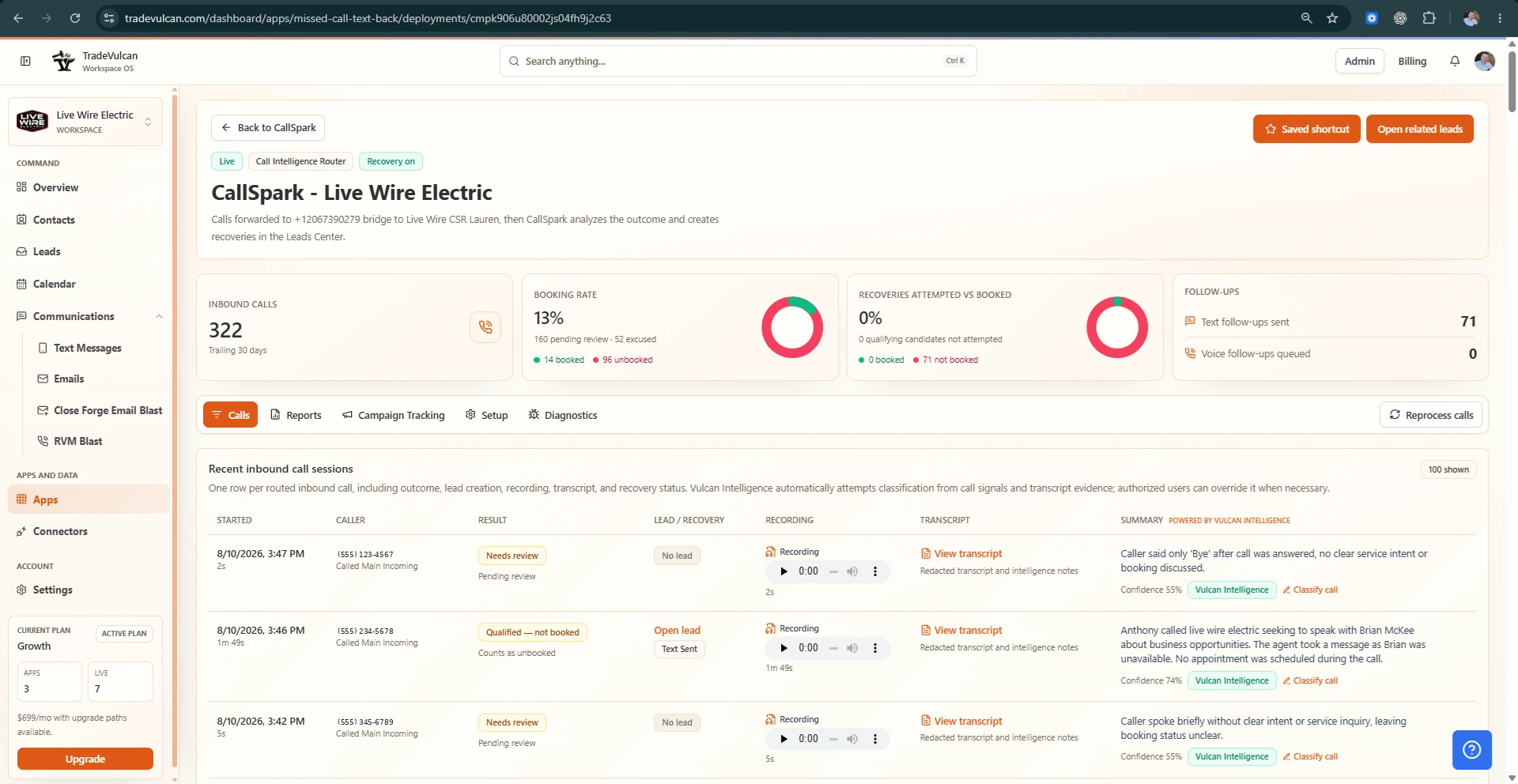
Overview
CallSpark is a powerful lead capture app within TradeVulcan designed to help home-service operators route, classify, and recover missed or unconverted phone opportunities. It forwards calls from your existing CRM, CallRail, carrier, or public numbers to a dedicated TradeVulcan number. CallSpark then bridges the call to the final answering destination, intelligently detects call outcomes like missed, abandoned, voicemail, or answered-but-unbooked calls, and initiates SMS recovery messages that route directly into the Unified Leads Center.
Setup Prerequisites
- A TradeVulcan voice/SMS number dedicated to CallSpark.
- The final answering destination phone number where calls will be forwarded or bridged.
- Approved call recording and SMS recovery message settings to comply with local regulations.
Step-by-step Setup
- Choose a TradeVulcan number: Within TradeVulcan, select or purchase a voice-enabled number that CallSpark will use as the routing point.
- Set your final call destination: Enter the phone number where answered calls should be forwarded. This could be your office line or a technician's mobile.
- Configure call recording: Enable call recording as required, and ensure your messaging complies with local privacy laws.
- Approve SMS recovery messages: Customize or approve the SMS texts used to reach out to missed or abandoned calls for recovery.
- Forward numbers to CallSpark: From your CRM, CallRail, or phone carrier, configure forwarding of your public or CRM-associated numbers to the TradeVulcan number assigned to CallSpark.
- Integrate with compatible connectors: If using ServiceTitan, Housecall Pro, or a Generic CRM, follow the connector instructions to enable seamless lead and call data sync.
Key Features
- Missed Call Recovery: Automatically detects missed and abandoned calls and sends outcome-aware SMS recovery texts.
- Intelligent Routing: Bridges calls to the final answering destination while tracking call results.
- Leads Center Integration: Routes recovered leads and follow-up replies into the TradeVulcan Unified Leads Center for efficient management.
- Call Classification: Distinguishes different call outcomes such as voicemail, no answer, or answered but unbooked.
Verification
Once setup is complete, verify your CallSpark configuration by:
- Making test calls to the forwarded number and confirming the call is bridged to the answering destination.
- Allowing test calls to go unanswered or leaving a voicemail to trigger SMS recovery messages.
- Checking the Unified Leads Center to ensure calls and SMS replies appear correctly with proper classification.
Troubleshooting
- No call forwarding: Double check that your CRM or carrier forwarding rules correctly point to the assigned TradeVulcan number.
- SMS recovery not sent: Verify SMS settings and approval status in CallSpark. Confirm the recipient phone supports SMS.
- Leads not appearing in Leads Center: Confirm integration permissions and connector setup with ServiceTitan, Housecall Pro, or your CRM.
- Call recordings missing: Revisit call recording settings and legal compliance options.
Support Handoff Notes
When passing support to your team or external admins, be sure to document:
- TradeVulcan number(s) used for CallSpark routing.
- Final answering destination number(s) configured.
- Customized SMS recovery message templates or any compliance directives.
- Connector integration details and credentials (ServiceTitan, Housecall Pro, Generic CRM).
- Known issues or customizations made during setup.
For additional help, contact TradeVulcan Support or consult the admin console documentation for your specific CRM integration.