
What Command is for
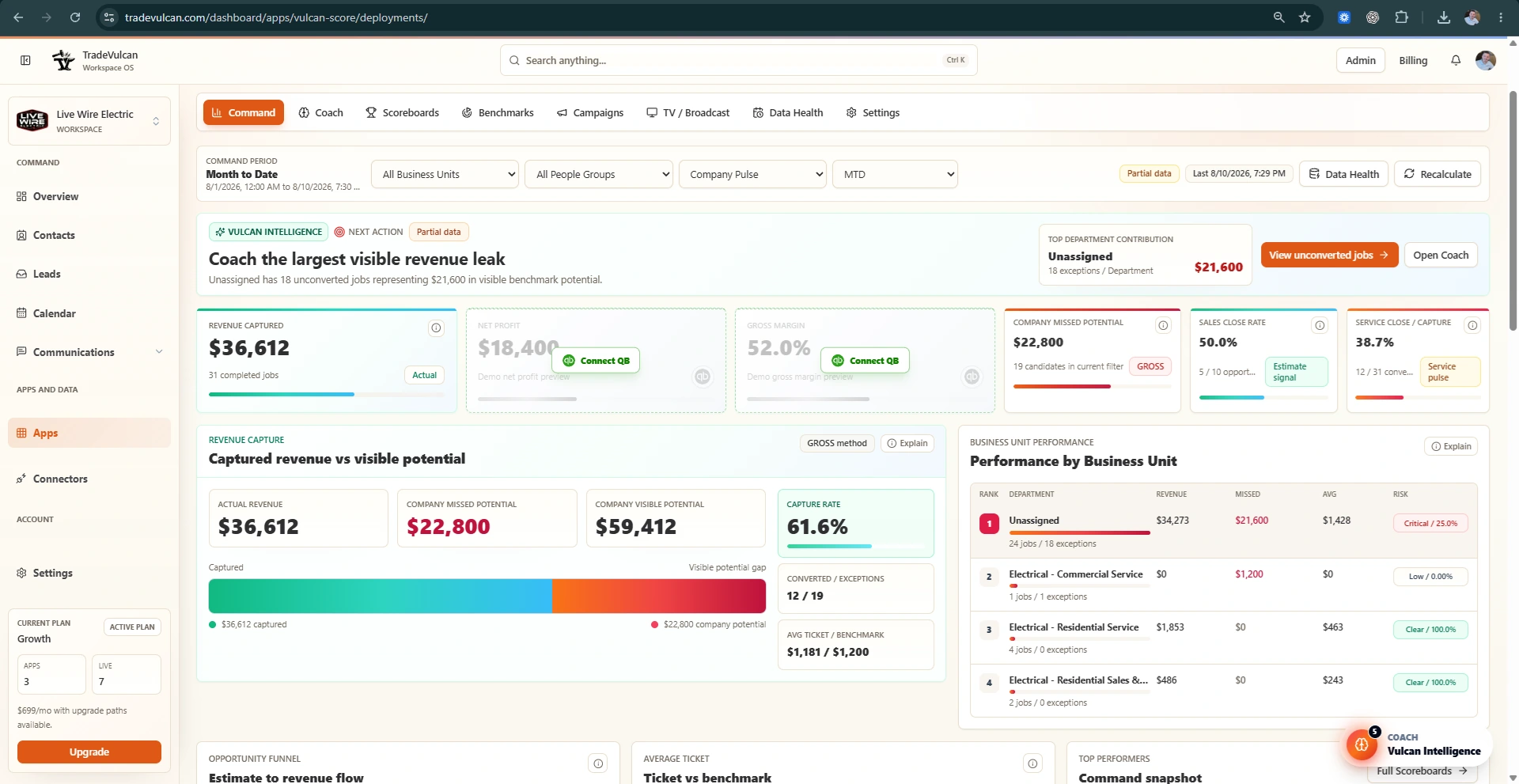
Command is the manager's daily and weekly operating brief. It is not just a static dashboard. It tells the owner or manager what changed, where money is leaking, what looks trustworthy, and what to inspect first.
Use Command at the beginning of the day, after major syncs, before coaching conversations, and during weekly leadership reviews.
Recommended default range
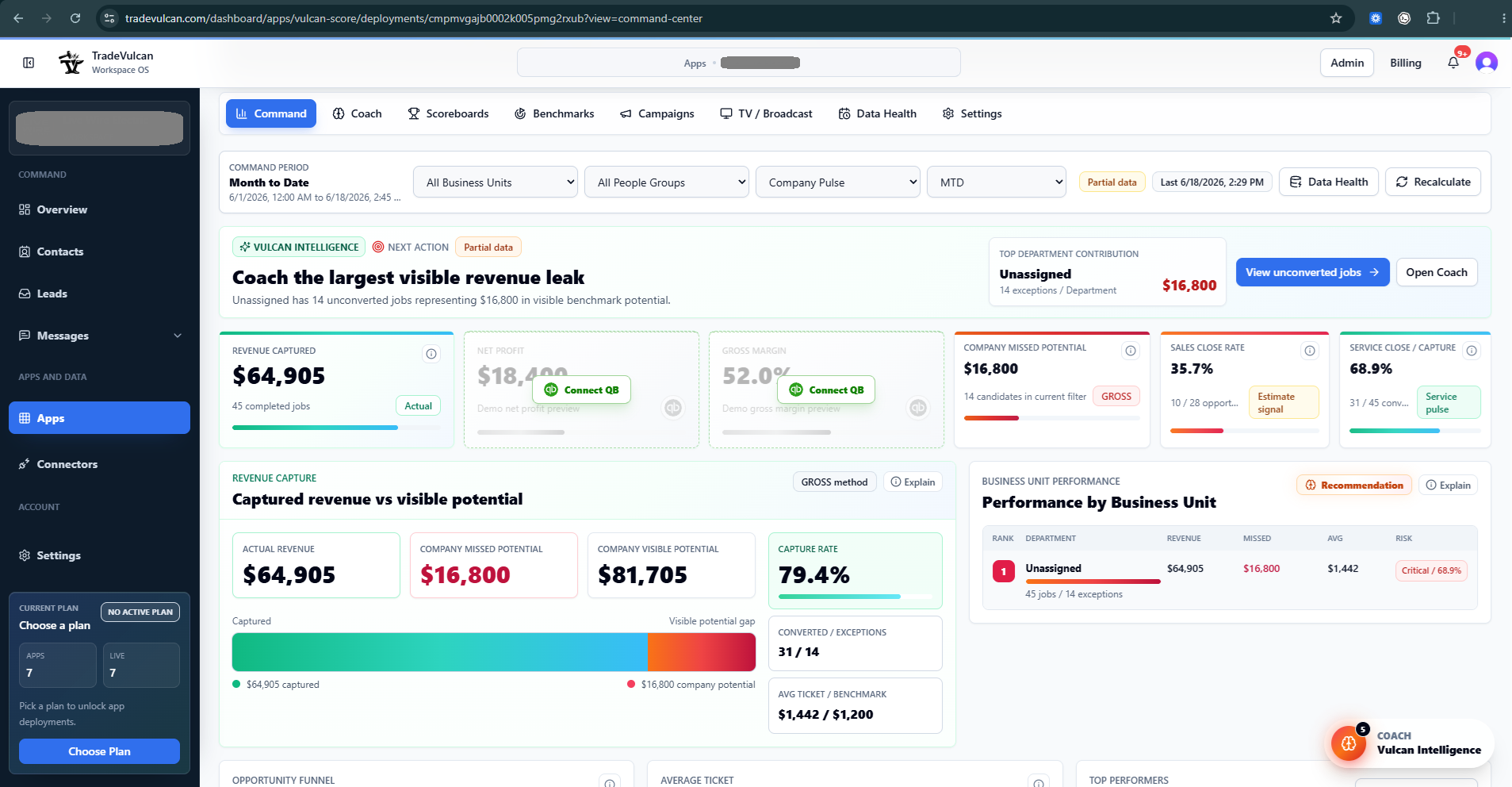
Command should normally start on Month to Date. Month to Date is the cleanest view for owner-level operating rhythm because it connects daily action to monthly goals, revenue pacing, and KPI Profile Studio current performance.
Use Last 7 Days for a quick coaching pulse, Last 30 Days for recent trend review, and Quarter to Date for leadership review. Avoid mixing ranges when comparing two numbers unless both cards clearly use the same range.
How to read the top of Command
- Control bar: confirm the period, Business Unit filter, people group, Department View, and latest sync.
- Vulcan Intelligence strip: read the next action first. It should tell you the highest-value thing to inspect or coach.
- KPI ribbon: scan revenue captured, QuickBooks profit cards when available, company missed potential, sales close rate, and service close or capture rate.
- Revenue capture panel: compare captured revenue to visible missed potential and check whether the method is Net or Gross.
- Performance by Business Unit: find which department, trade, or assignment bucket is creating the biggest opportunity or risk.
Main KPI cards
| KPI | What it tells you | What to inspect |
|---|---|---|
| Revenue captured | Completed revenue inside the selected period and filters. | Completed jobs, revenue rows, missing revenue, and business unit filters. |
| Net profit | QuickBooks profit after costs and expenses when accounting data is connected. | P&L completeness, class usage, overhead allocation, and unusual expenses. |
| Gross margin | Revenue after cost of goods sold when accounting data is connected. | Labor, materials, equipment, subcontractors, discounts, and job costing consistency. |
| Company missed potential | Visible benchmark potential from unconverted or low-revenue jobs. | Unconverted jobs, low-ticket jobs, estimate linkage, dispatch threshold, and business unit ownership. |
| Sales close rate | Sold estimates divided by trackable presented estimates. | Estimate status, sold/open values, salesperson attribution, and proposal follow-up. |
| Service close / capture | Converted jobs divided by completed jobs or the active service capture signal. | Jobs at or below threshold, no linked estimates, zero-revenue work, and options presentation. |
Revenue capture and missed potential
The revenue capture panel combines actual captured revenue with visible missed potential. Missed potential is a coaching estimate, not automatic compensation. It should be used to decide where to inspect jobs, estimates, and team behavior.
- Net method: usually compares actual job revenue to benchmark average ticket and counts the gap.
- Gross method: uses unconverted job count multiplied by benchmark average ticket when job revenue is not available.
- Benchmark needed: missed potential cannot be calculated honestly until a target exists.
Performance by Business Unit
This panel ranks departments, trades, or assignment buckets by revenue, missed potential, average ticket, and risk. If there is only one Business Unit, Vulcan Intelligence will warn that department coaching is directional. A one-BU company can still analyze company revenue, but it cannot see which department is creating or hiding the problem.
Evidence-first coaching
Before coaching a person or team, open the supporting evidence. Use the exception queue, drilldowns, and Vulcan Intelligence side drawer to see which jobs, estimates, or source counts support the recommendation.
Good coaching language sounds like: "Here are the jobs I want to review with you. I want to understand whether they were non-bookable, no-charge, warranty, missing estimates, or a presentation opportunity."
When to use Recalculate
Use Recalculate after a sync completes, after benchmark target updates, or after mapping changes. Recalculate should not change connector behavior or source facts. It refreshes Vulcan Score's normalized KPI view from the existing facts.
Command operating rhythm
- Morning: open Command, confirm Month to Date, read the Vulcan Intelligence next action, and inspect the top exception queue.
- Midday: review unconverted or low-revenue jobs from the current day and assign follow-up.
- End of day: confirm jobs, estimates, and revenue have landed correctly.
- Weekly: review Business Unit performance, KPI Profile targets, and scoreboard movement with department leaders.