
Why CRM structure matters
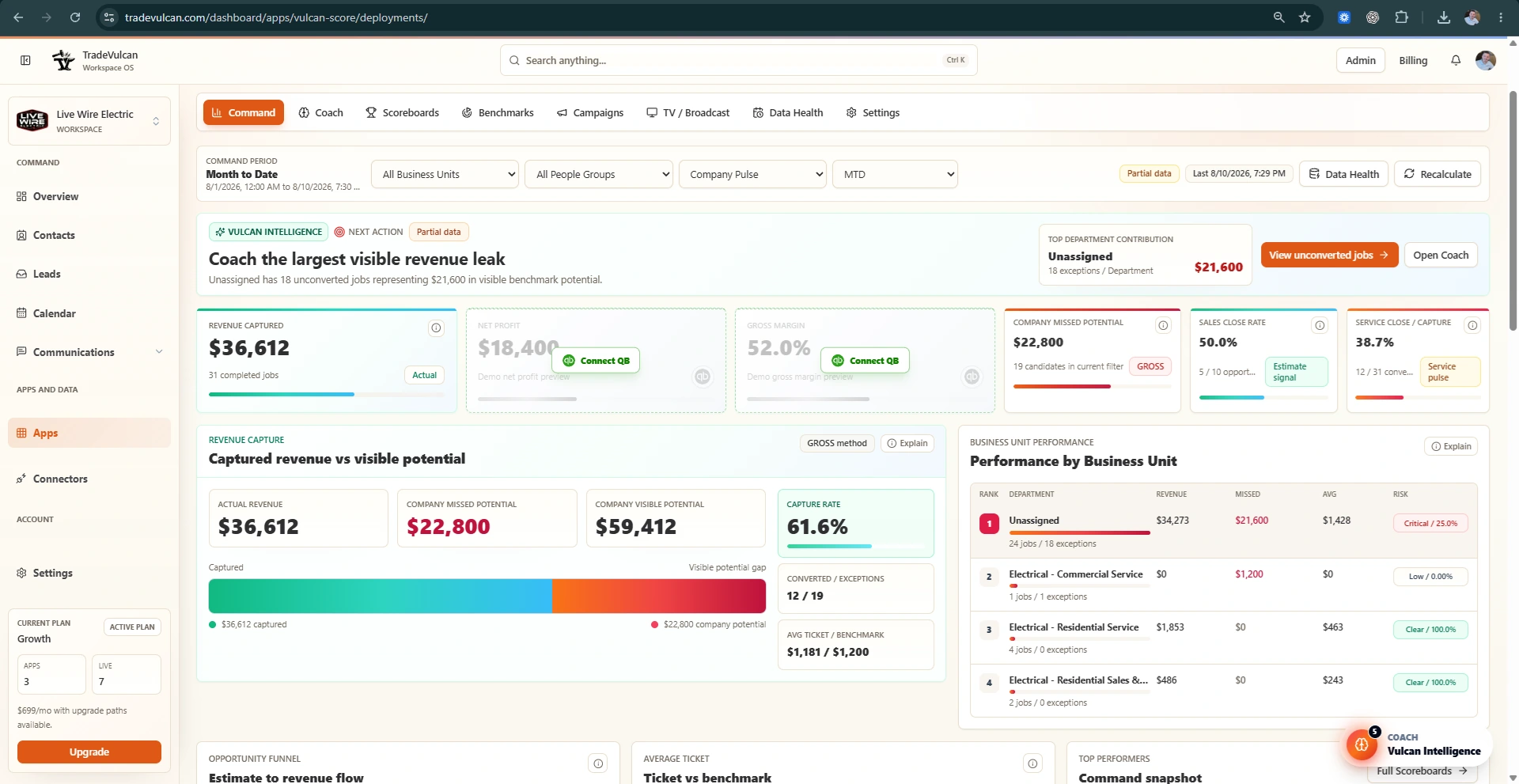
Vulcan Score can analyze company performance from normalized CRM facts, but department coaching depends on how cleanly the CRM describes the work. Business Units, Job Types, Job Fields, estimate status, technician attribution, and revenue rows are the operating map.
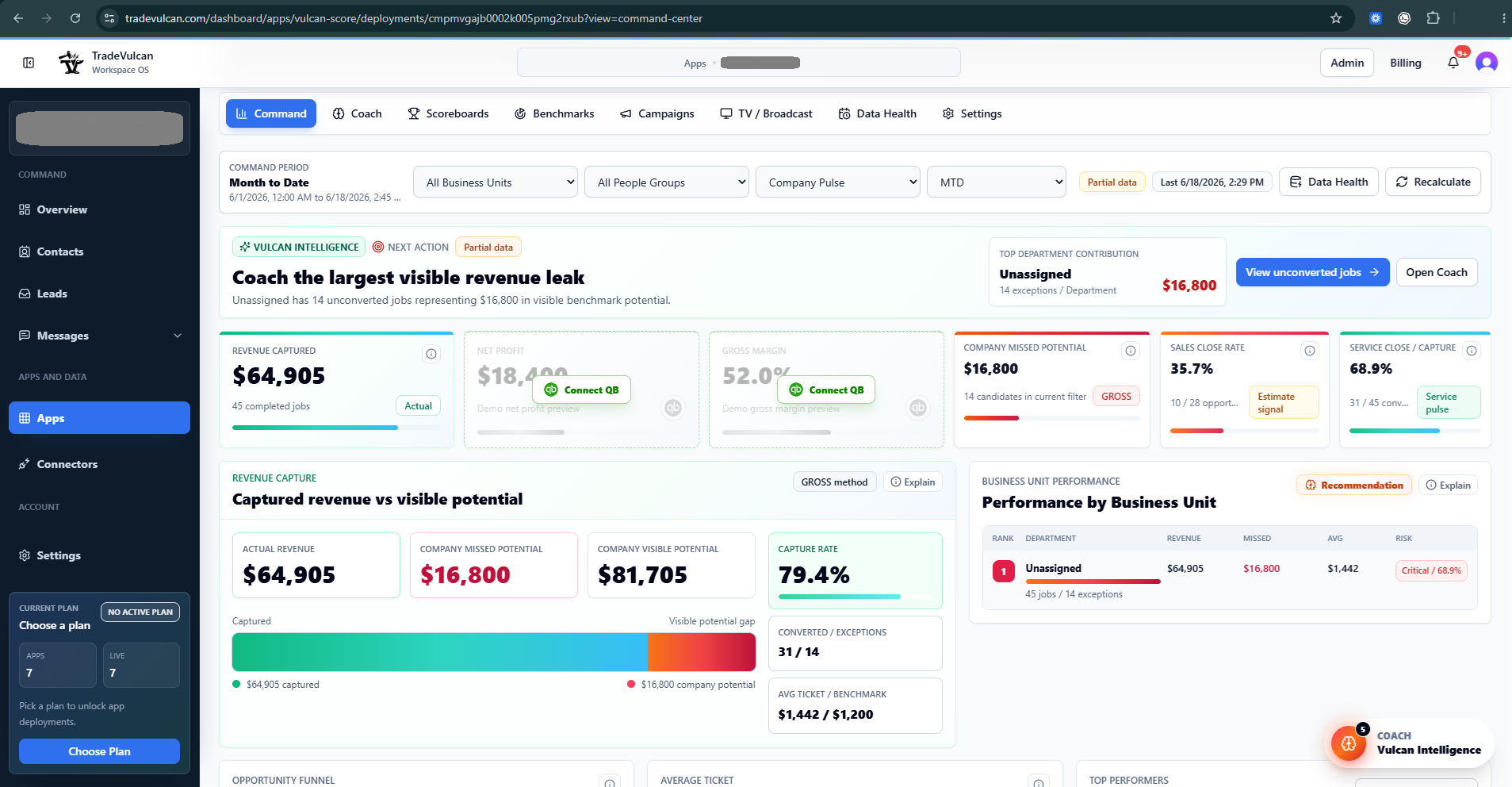
If every job is assigned to one broad bucket, the company may know it has a problem but not which department owns it. Vulcan Intelligence will call this out because department benchmarks become directional instead of precise.
Good CRM structure answers these questions
- Was this Service, Sales, Install, Maintenance, CSR / Dispatch, Warranty, Callback, or No-charge work?
- Which trade or vertical owns it: HVAC, Plumbing, Electrical, Roofing, Drain / Sewer, or another division?
- Which Business Unit, Job Type, department, location, or class should receive credit?
- Was an estimate presented, sold, open, declined, or missing?
- Which technician, salesperson, CSR, or team was responsible?
ServiceTitan setup guidance
ServiceTitan Business Units should usually represent the operating departments managers coach. For an HVAC company, common Business Units include HVAC Service, HVAC Sales, HVAC Install, and HVAC Maintenance. For multi-trade companies, use trade plus division names such as Plumbing Service, Plumbing Sales, Plumbing Install, Drain / Sewer, Electrical Service, and HVAC Install.
ServiceTitan documentation recommends using Business Units and Job Types to organize departments, reporting, and operational workflows. Review ServiceTitan's own guidance before making structural CRM changes.
Housecall Pro setup guidance
Housecall Pro uses Job Fields such as Job Type, Business Unit, and Callback to organize important job details and reporting. HCP documentation explains that Job Fields are more structured than tags for reporting and can be used on jobs and estimates.
Recommended department map
| Department | What belongs here | What should not be mixed in |
|---|---|---|
| Service | Demand service, repair, troubleshooting, maintenance repairs, and revenue-producing service calls. | Install projects, replacement sales calls, warranty, and no-charge callbacks unless clearly labeled. |
| Sales / Replacement | Comfort advisor calls, replacement estimates, proposal follow-up, sold/open estimate tracking. | Completed install labor or routine demand service. |
| Install | Install projects, changeouts, crews, materials, equipment, and install closeout. | Small service repairs and sales lead calls. |
| CSR / Dispatch | Call handling, booking, abandoned calls, source performance, and agent scorecards when call data is available. | Field revenue KPIs unless the CSR outcome links to jobs or bookings. |
| Maintenance | Membership tune-ups, inspections, recurring maintenance, and maintenance conversion opportunities. | Demand repairs unless they are linked as follow-up work. |
What one Business Unit hides
| View | Revenue | Gross profit % | Net profit | What you know |
|---|---|---|---|---|
| Company combined | $220,000 | 35% | $8,000 | The company is weak on margin, but the department causing it is hidden. |
What separated departments reveal
| Department | Revenue | Gross profit % | Net profit | Decision |
|---|---|---|---|---|
| Service | $120,000 | 60% | $28,000 | Healthy. Keep coaching ticket size, options, and capture. |
| Install | $100,000 | 5% | -$20,000 | Install is the problem. Review labor, materials, pricing, scope, and closeout. |
Mapping review checklist
- Confirm each active job has a useful Business Unit, Job Type, or Job Field.
- Confirm estimate records have status and ownership where sales KPIs are used.
- Confirm no-charge, warranty, callback, and maintenance work are not inflating or deflating service KPIs without labels.
- Confirm Business Unit names match QuickBooks Classes if you want department profit coaching.
- After changes, sync again and review Data Health.