
Why rhythm matters
Vulcan Score is most powerful when it becomes a habit. The app can surface what changed, why it matters, and what to inspect, but the business improves when managers turn that guidance into daily action.
Daily owner or GM rhythm
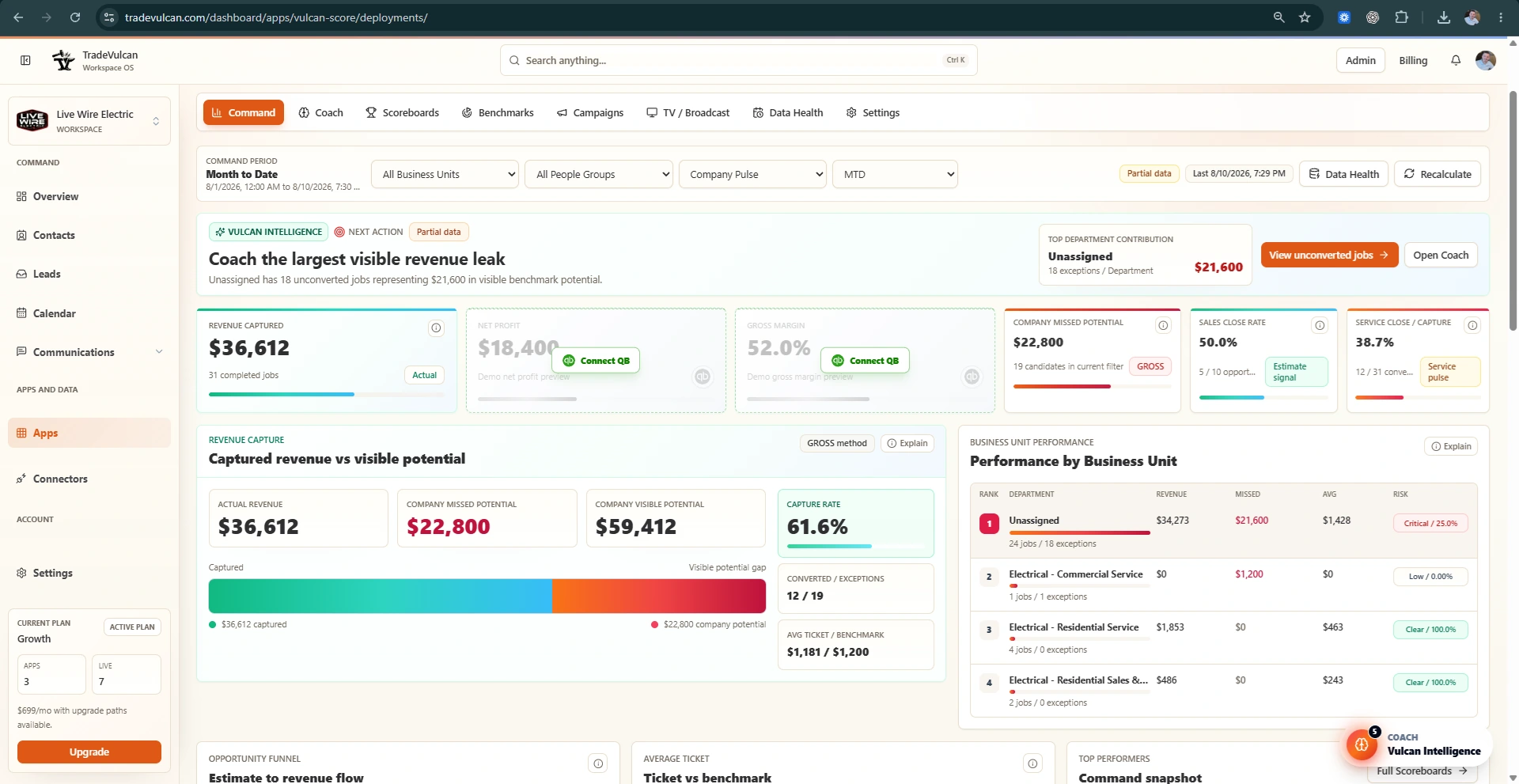
- Open Command in Month to Date.
- Read the Vulcan Intelligence next action.
- Check revenue captured, missed potential, profit cards, close rate, and Business Unit performance.
- Open the top evidence drawer or exception queue.
- Assign one follow-up action to the right manager.
- Ask Coach what it would do tomorrow if it were in your position.
Daily service manager rhythm
- Review unconverted or low-revenue jobs.
- Inspect jobs with no linked estimates or options.
- Coach technicians on minimum-ticket expectations, option presentation, and dispatch threshold exceptions.
- Check average ticket against benchmark.
Daily sales manager rhythm
- Review sold/open estimate status and owner attribution.
- Inspect low close-rate sources and open estimates needing follow-up.
- Use Sales / Comfort Advisor profile targets only when estimate facts are trusted.
Daily install manager rhythm
- Review install revenue, install average ticket, callbacks, and gross margin when cost facts are available.
- Use QuickBooks Classes or job costing to find labor/material usage issues.
- Keep install work separated from service and sales calls.
Daily CSR / Dispatch rhythm
- Review booking rate, abandoned calls, call source performance, and agent attribution.
- Fix routing and callback process before blaming individual CSRs.
- Use call data only when it is available and trusted.
Weekly leadership rhythm
- Review Command with department leaders.
- Open Coach and review highest-impact next steps.
- Review Setup Radar for source, benchmark, and mapping risks.
- Update one or two KPI Profile targets if they are too easy or too aggressive.
- Choose one team campaign or contest only if the KPI is safe enough.
- Check TV displays and scoreboards for team visibility.
Monthly rhythm
- Compare monthly actuals to targets and recent trend.
- Review QuickBooks P&L and Classes with accounting.
- Update KPI Profile targets for the next month.
- Archive or disable old deployments and displays that are no longer active.
- Review contests and rewards for fairness and data safety.