
Overview
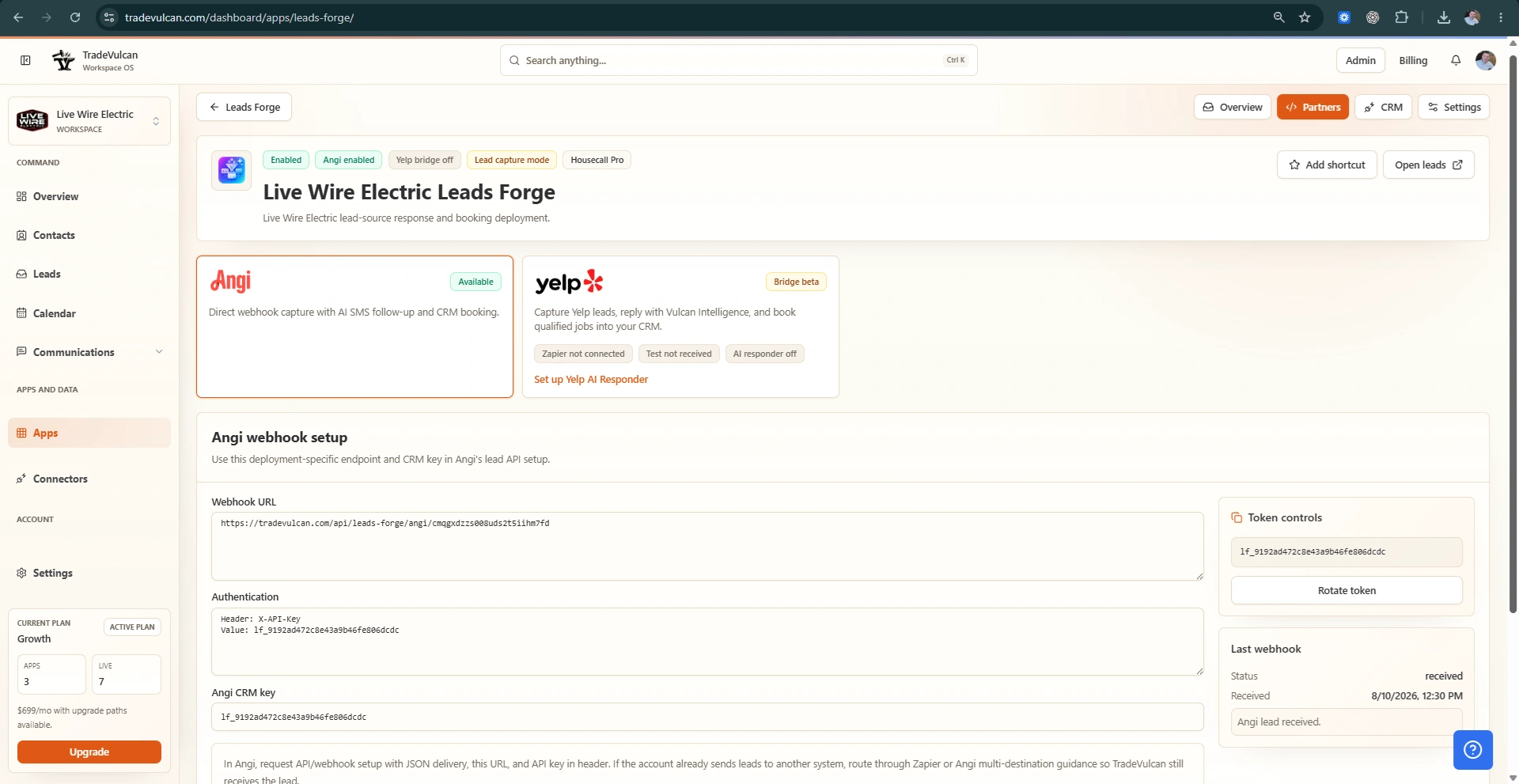
Leads Forge can receive supported Networx lead payloads through a deployment-specific Custom Webhook endpoint. The endpoint creates or updates the TradeVulcan lead, records the source payload in a redacted form, and lets the deployment's AI SMS and CRM booking rules continue from the same workflow used for other supported partner leads.
Where to find the setup values
- Open the Leads Forge app from the dashboard.
- Open the deployment that should receive Networx leads.
- Choose Partners, then Networx Leads.
- Generate an API key if one is not already present.
- Copy the Webhook URL and API Key into Networx Custom Webhook setup.
Networx Custom Webhook fields
| Networx field | Recommended value |
|---|---|
| CRM | Custom Webhook |
| Webhook URL | The deployment-specific TradeVulcan Networx URL. |
| API Key | The generated Leads Forge Networx API key. |
| URL Parameters | Leave blank unless TradeVulcan support asks for a scoped setup. |
| Product | All, unless the deployment should receive only a specific lead product. |
| Network | All, unless the deployment should receive only a specific network segment. |
Accepted payload shape
The webhook accepts JSON object deliveries and JSON arrays. Leads Forge normalizes common customer, phone, email, service, address, appointment, consent, fee, source, and interview/question fields before creating the lead.
Go-live checklist
- Enable Networx lead intake on the deployment.
- Confirm consent attestation and STOP handling for automated SMS.
- Send one Networx test lead and verify the Last webhook panel changes from Waiting to received or accepted.
- Open the created lead from the dashboard and confirm the service, customer contact, address, and source details are understandable.
- Review CRM booking settings before enabling live booking for qualified leads.
Troubleshooting
- 401 means the API key is missing or does not match the current deployment key.
- 403 means the Leads Forge deployment or Networx intake is not enabled.
- 400 means TradeVulcan received the request but could not find a lead payload to normalize.
- After rotating the API key, update Networx before sending more leads.
Security notes
Do not paste real customer payloads, webhook keys, full phone numbers, full emails, or private Networx account data into public docs or support chat. Use the dashboard setup panel for secrets and the lead record for redacted delivery status.