
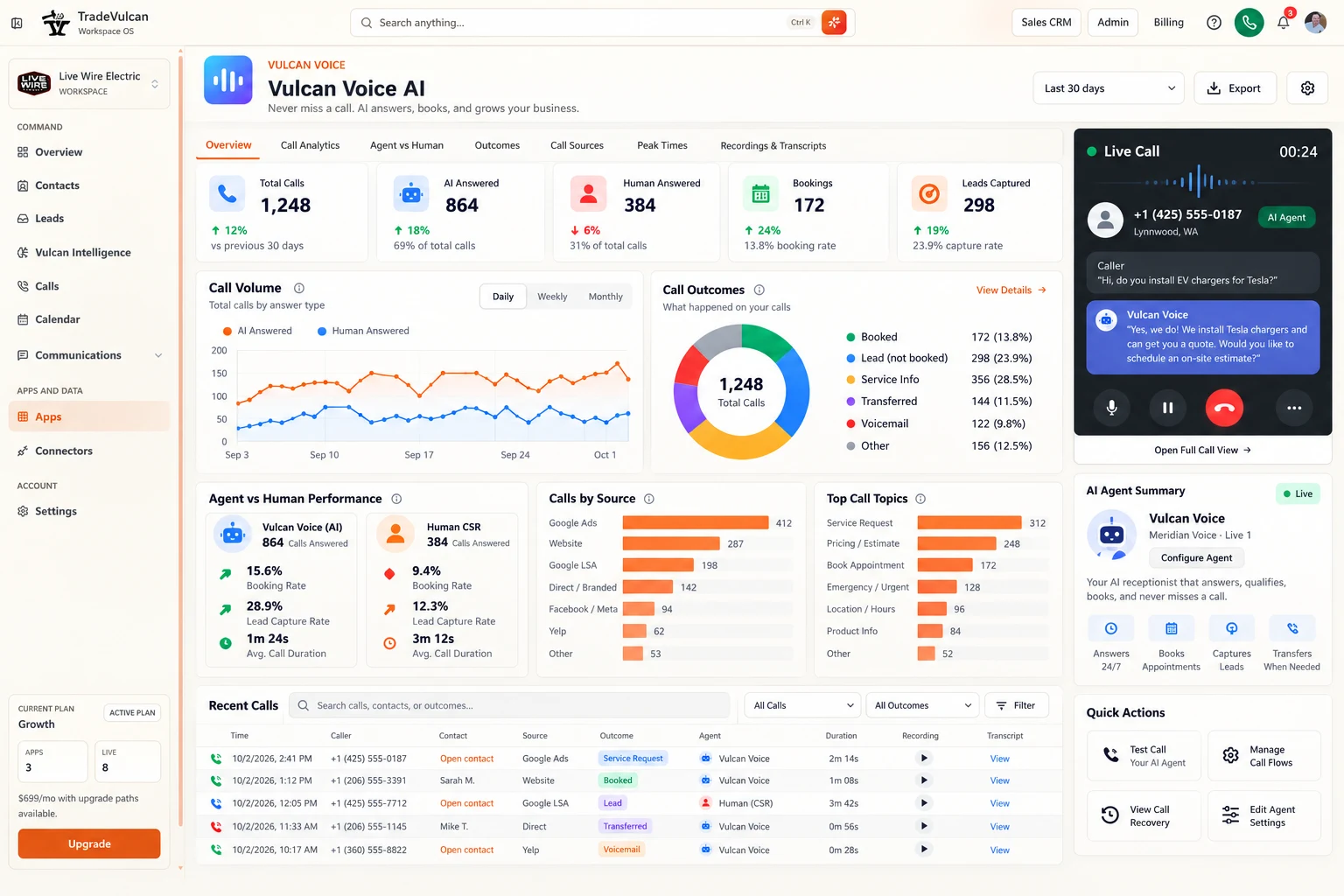
Find the call
Open Recordings & Transcripts, choose the agent, line and date range, then use Search calls and the outcome/source filters. The current text search matches customer name or phone; it is not a full-transcript search. The Has captured lead filter includes calls that also booked.
Choose the caller or View link to open the full record. The Overview table is only a recent sample; the detailed history uses pages of 25 matching calls. Summary metrics still include the full matching cohort.
Recording available, unavailable or restricted
Play recording opens the call detail when a completed recording is available and your role allows access. Restricted points to a permission issue. Unavailable can mean recording was not enabled, processing is incomplete, a record was not captured or no completed audio is available for that call.
Check the actual call's recording status before changing settings. Turning on a recording option now does not create a recording for an earlier conversation. Live monitoring also does not prove that a complete final recording was saved.
Use transcripts with the right evidence
A transcript helps locate the issue, correction or handoff. The live view can include provisional caller recognition, generated AI text and human mix segments. Generated words alone do not prove the caller heard them, and human mix is not necessarily individually speaker-attributed.
For a conversation-quality review, use the available audio together with the transcript and saved outcome. A sentence such as “I'll book that” is not the CRM's booking receipt. Review the external appointment when the distinction matters.
Export the filtered cohort
- Set the final date range, agent, line and any source, handler, topic, outcome or search filters.
- Read Data coverage & definitions and confirm whether test calls are included.
- Select Export with a role that has export permission.
- Open the CSV and retain the filter context in your report notes.
Export uses all matching call rows, not only the visible history page. The limit is 100,000 calls; exceeding it asks you to choose a smaller range rather than silently returning a partial file.
The CSV includes Call ID, Started at (UTC), customer, phone, first handler, status, disposition, booking and prior-cancellation indicators, lead ID, acquisition source, service topic, duration seconds, booking actor and transfer state. It is a call-record export, not an archive of audio files or complete transcript text.
Reconcile and protect the data
The dashboard displays times in the selected reporting time zone; CSV start times are UTC. Convert consistently before comparing daily totals. Preserve phone numbers and identifiers as text in a spreadsheet. Formula-like cell contents are protected during export; do not remove protections indiscriminately.
Store and share the file under your company's customer-data policy. For an exception, use the call ID and timestamp to trace the record rather than matching only by a similar name or approximate phone time.