
Start with the business, not a list of adjectives
A useful brief explains who you serve, what you do, where you work and what a visitor should do next. “Modern and professional” is a direction, but it is not enough to distinguish a drain-cleaning specialist from an electrical service company.
Open Discover in the correct website. The public phone and email fields are for customer-facing contact information. Never enter API keys, passwords, private customer records or payment information into the brief.
1. Describe the work and the customer
Fill in the business name, trade, audience and primary next step. Identify the priority service and whether you want a balanced mix, repair work, or replacement and installation work. List specific services one per line and use the exclusion field for work you do not offer.
Example: “Residential electrical service for homeowners. Prioritize panel replacements and troubleshooting. Offer EV charger installation after an on-site assessment. Do not advertise utility-side work or guarantee same-day availability.” Use your own actual scope; this is an example, not a business fact.
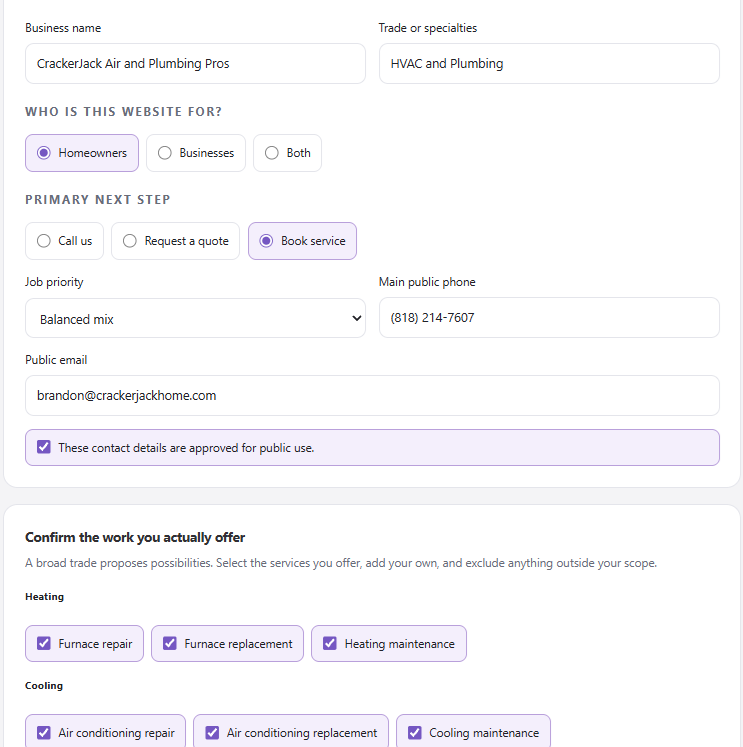
Confirm the work you actually offer and the contact details approved for public use. The filled values belong to this example workspace.
2. Define the visual direction
Explain what the website should feel like and why. Include preferences about typography, spacing, color, photographs and the balance between local personality and technical detail. Describe what you like about a reference without asking to copy another company’s logo, photographs or distinctive content.
Try: “Confident, warm and local. Use our red and dark ink palette, real crew photos and short headlines. Keep service-request buttons prominent on mobile. Avoid generic stock images of people we do not employ.”
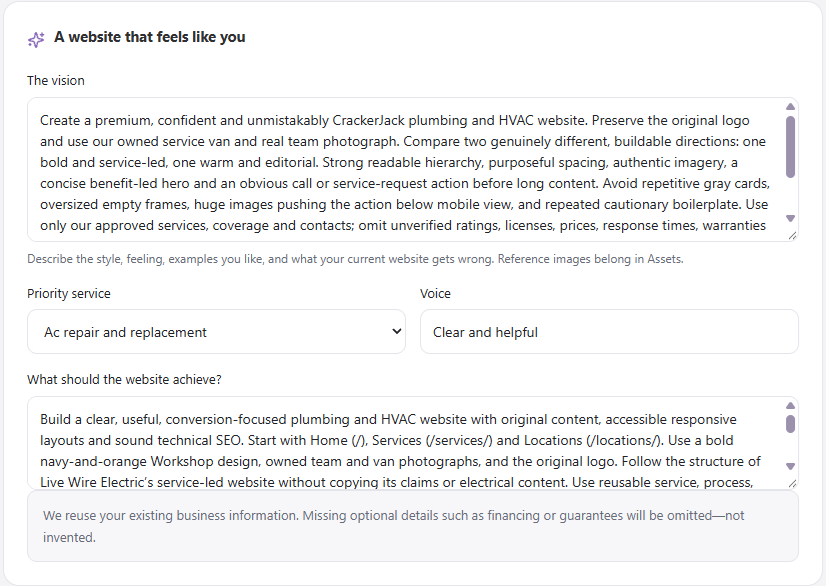
Describe the style, audience, priority service, and desired next step. Save the inputs before preparing the site plan.
3. Supply brand assets intentionally
Use the project’s available asset controls to add owned or licensed logos, team photographs and service imagery. Identify where each asset belongs and what it shows. Keep a high-quality original, but avoid uploading unnecessary private information. Check that text inside a logo remains readable against both light and dark backgrounds.
Imported and generated assets still require review. Do not describe AI-generated people, projects, trucks or installations as documentary evidence of your company’s work. A generated illustration should remain an illustration.
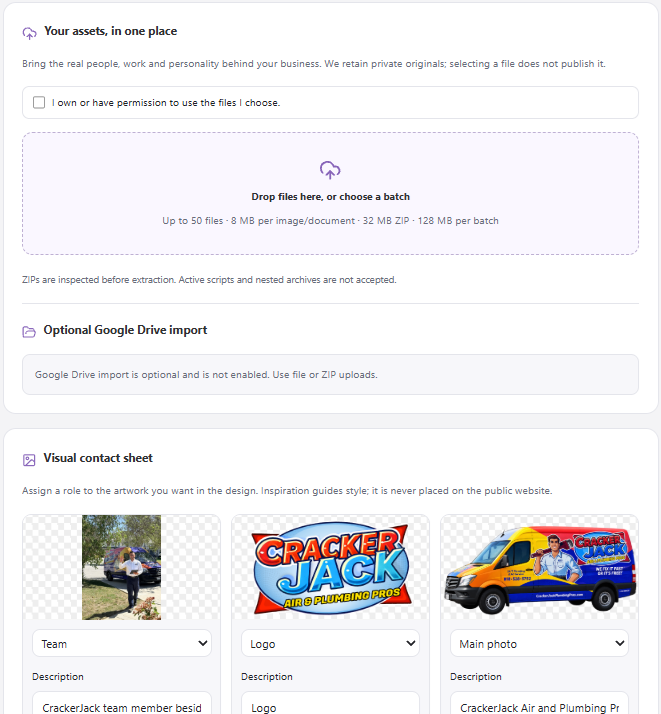
Confirm media rights, upload your files, and assign each asset a role. Optional import availability can vary by workspace.
4. Approve facts with evidence
The evidence controls let you specify the type, scope, exact claim, source and an optional expiry. Approve only facts you have checked for public use. Examples include a written warranty, a current offer, a real testimonial with permission, a manufacturer authorization or a documented service area.
Do not let the website invent license numbers, emergency response times, financing approvals, years in business, customer reviews or rebate eligibility. Supply the approved wording and any conditions. Policy pages need human review; generated policy text is not legal advice.
5. Save and check for stale inputs
Choose Save inputs and confirm the saved result. If the project reports a newer version, copy any unsaved text you need before loading the newer inputs. Do not overwrite another team member’s work to remove the conflict.
Changes to the brief can affect the plan and design. Review any request to refresh a proposal or approve updated work instead of assuming an old approval applies to changed facts.
What good input looks like
A strong brief leaves the agents free to make design choices but not free to invent the business. After saving, you should be able to point to a clear service scope, a real service territory, an approved contact route, usable assets and evidence for any important promise.