
What the Plan stage is for
The plan is the architecture of the website: page purposes, routes, relationships and navigation. It is not just a target number of pages. A visitor should be able to understand your business and move toward an appropriate next step without getting lost in repeated content.
Save the business brief in Discover, then choose Prepare my site plan. Open Plan to review the proposed architecture. Confirm the package scope and any missing business information before approval.
A practical home-service website structure
- Home: explain the trade, territory, differentiator and next step.
- Services overview: group work in terms customers recognize.
- Individual services: explain the problem, scope, process and relevant contact path.
- Service-area overview: make real coverage easy to check.
- Useful location pages: add genuine local context where there is enough information to help a visitor.
- Trust and support: company information, reviewed reviews or project evidence, FAQs and contact.
- Optional business pages: financing, membership, offers and landing pages only when the business can support the claims.
- Policy pages: privacy and terms reviewed for your actual practices.
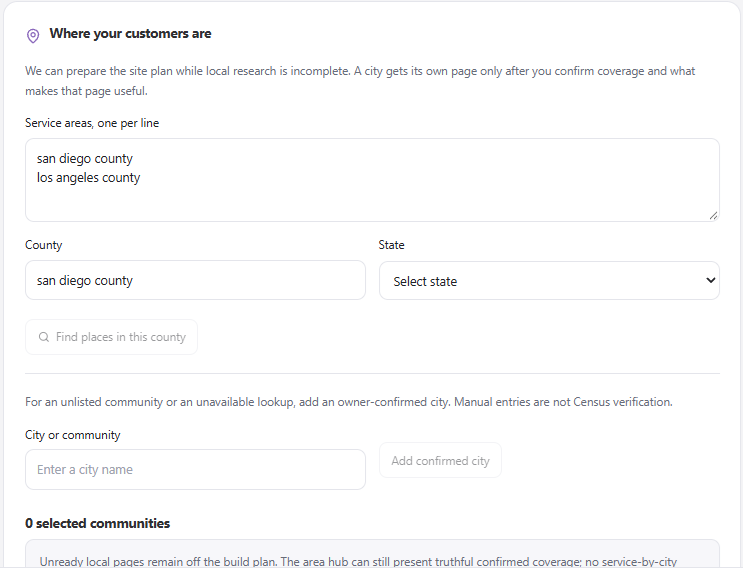
Confirm real service coverage before creating community pages. Manually added places are owner-confirmed, not Census-verified.
Review each proposed page
- Check the title, route and page purpose.
- Confirm the service or location is genuinely offered.
- Decide whether the page belongs in primary navigation, a hub, or a supporting journey.
- Look for duplicate intents that could be served by one stronger page.
- Identify missing evidence, assets or contact details.
- Approve only the architecture you want the team to use.
A generation allowance is not an instruction to fill the website with as many pages as possible. Prioritize the most important services and customer questions first, then expand with useful content.
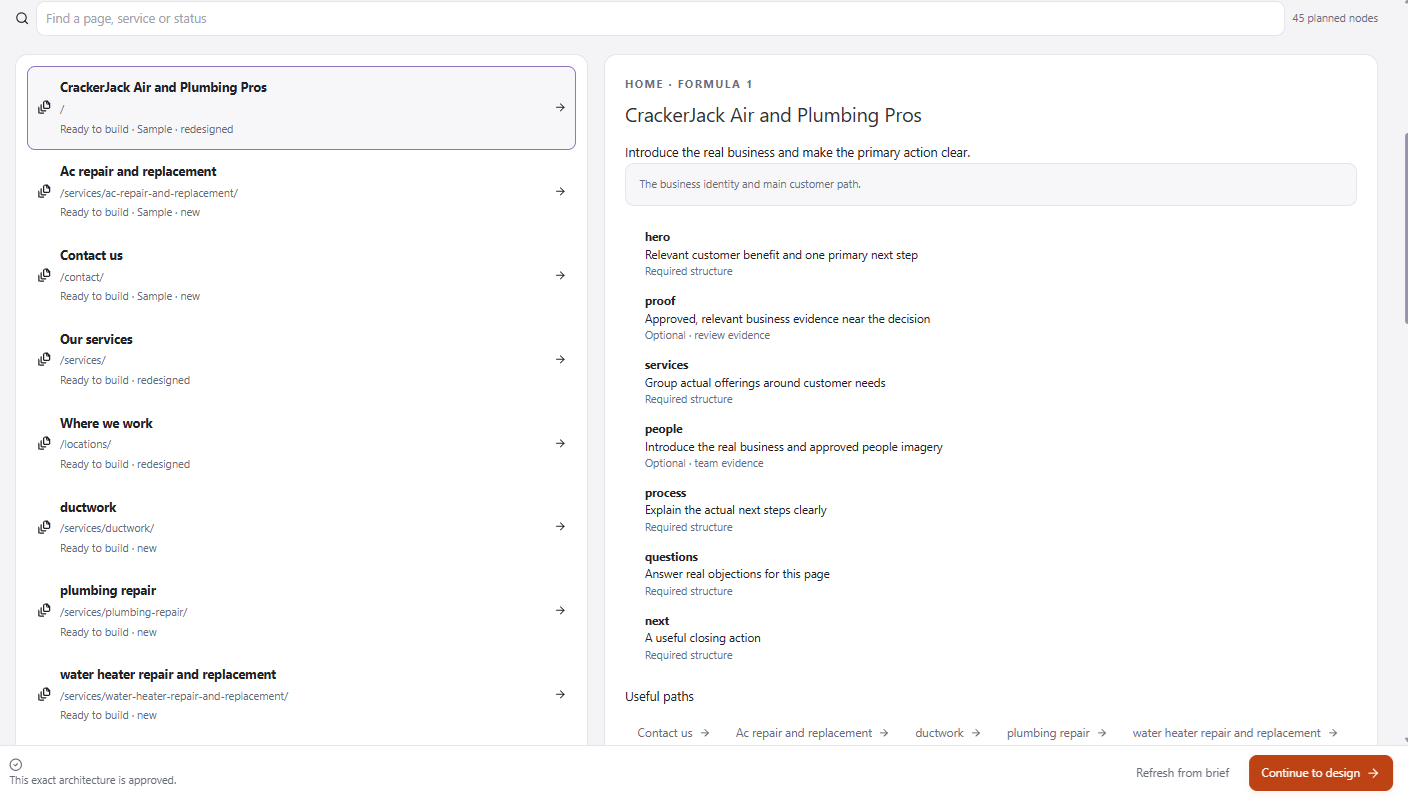
Inspect each page’s purpose, route, structure, and useful paths. The readiness label tells you whether its inputs support building.
Example: an electrical contractor
A service hub might link to panel upgrades, troubleshooting, EV charging and backup power. A panel-upgrade page can explain assessment, scope and next steps; a community page can explain actual service availability and link to the relevant services. Do not imply a staffed local office in every city merely because your crew travels there.
Search-friendly does not mean guaranteed rankings
Write accurate titles, clear headings and unique explanations. Use internal links that help the visitor. Review the sitemap and indexing settings after publication. Google cautions against large volumes of low-value generated content and doorway pages; simply swapping city names is not a local SEO strategy.
See Google’s guidance on generative AI content and Google’s spam policies. Page quantity alone does not establish search quality or visibility.
After plan approval
Continue into Design and check that the visual proposal fits the planned content. A material scope change may require a new plan or approval. Preserve existing approved work and review the proposed impact instead of asking for a full rebuild to solve one missing page.