
Do not confuse a finished draft with a live website
Web Spark separates generation, saved revisions, review and publication. A direction approval or successful build does not automatically authorize the public website. Publishing requires the correct role, a reviewed candidate, eligible hosting and the relevant domain checks.
1. Review the customer-facing content
- Verify the company name, public phone, email, actual services and real service territory.
- Check all prices, offers, warranties, license details and testimonials against approved evidence.
- Replace placeholders and confirm rights to photographs, logos and other media.
- Review privacy and terms pages for the business’s actual practices.
- Check desktop, tablet and phone layouts, navigation and readable contrast.
- Check important contact and service-request paths and any connected app requirements.
2. Select the pages to release
Open Launch and choose the reviewed pages using the release selection controls. Inspect the selected page versions. For an update to an existing website, use Preview the complete merged draft when available to confirm both the selected updates and retained pages.
If the source draft changed or an overlapping page conflict appears, stop and reconcile it. Do not overwrite unrelated work merely to get the release through.
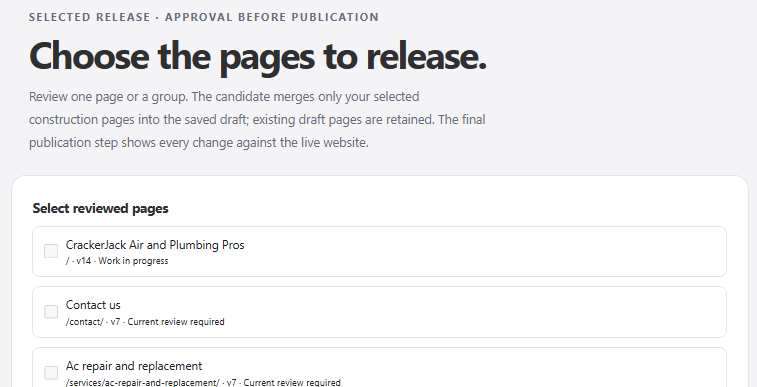
Select only reviewed pages for the release candidate. Preparing or approving a saved draft does not publish the website.
3. Prepare and inspect the candidate
Follow Review publication changes into the hosting/publication review. Confirm the candidate, page scope, domain, redirects, connection versions and outstanding findings. Read any required acknowledgment; do not treat it as a box to check without inspecting the issue.
The candidate is tied to specific saved content. If the content or domain configuration changes, prepare and review the updated candidate. An old approval is not a blanket instruction to publish whatever is currently in the editor.
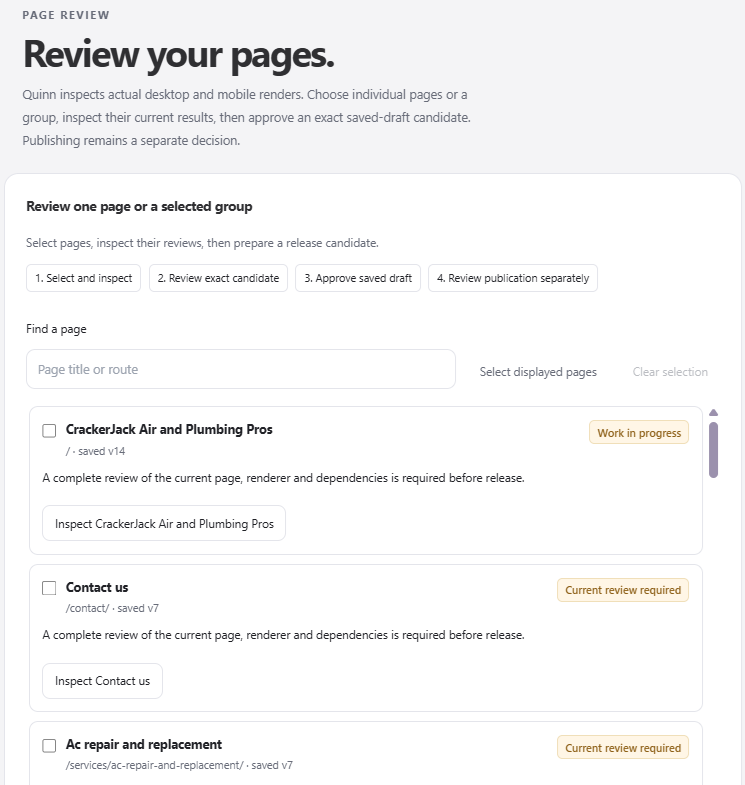
Inspect one page or a selected group, then review the exact candidate. A current review is needed for the saved version you intend to release.
4. Confirm hosting and domain readiness
Confirm that hosting is active and its limits fit the website. For a custom domain, complete ownership verification, certificate requirements and the exact DNS changes shown in the interface. Keep the old website available until you are ready for the cutover; do not cancel email or remove unrelated DNS records.
5. Approve publication once
Have an authorized publisher approve the exact release shown. If scheduling is available, check the displayed date and time. Follow the operation status rather than repeatedly requesting publication. Pending or unknown provider outcomes need reconciliation, not blind retries.
6. Verify the public result
- Open the intended HTTPS address in a fresh browser session.
- Confirm the correct version appears, not an old cached preview.
- Check several important service and location routes, not just the homepage.
- Check navigation, phone links, media, redirects and the not-found experience.
- Test connected customer actions with permission and verify their result in the source app.
- Review the published sitemap and indexing settings. Search-engine discovery and ranking are separate from publication.
Record the public URL and release reference for your team. A publication receipt confirms the serving outcome checked by the platform; it does not certify every business claim or promise search visibility.
If you find a problem
For a content issue, prepare a corrected draft and review a new release. For a serious regression, inspect the available verified restore path. A domain or HTTPS problem should be investigated from its saved operation before another paid action or DNS change.