
What is Web Spark?
Web Spark is TradeVulcan’s website studio for home-service businesses. It brings planning, visual direction, copy, imagery, customer journeys and independent review into a shared project. You supply the business facts and direction; the team prepares work you can inspect and refine before publication.
A website is its own project, also called a deployment. Always check the website name and workspace before editing, connecting a domain or approving a purchase. A new draft, a saved website and a live release are different states.
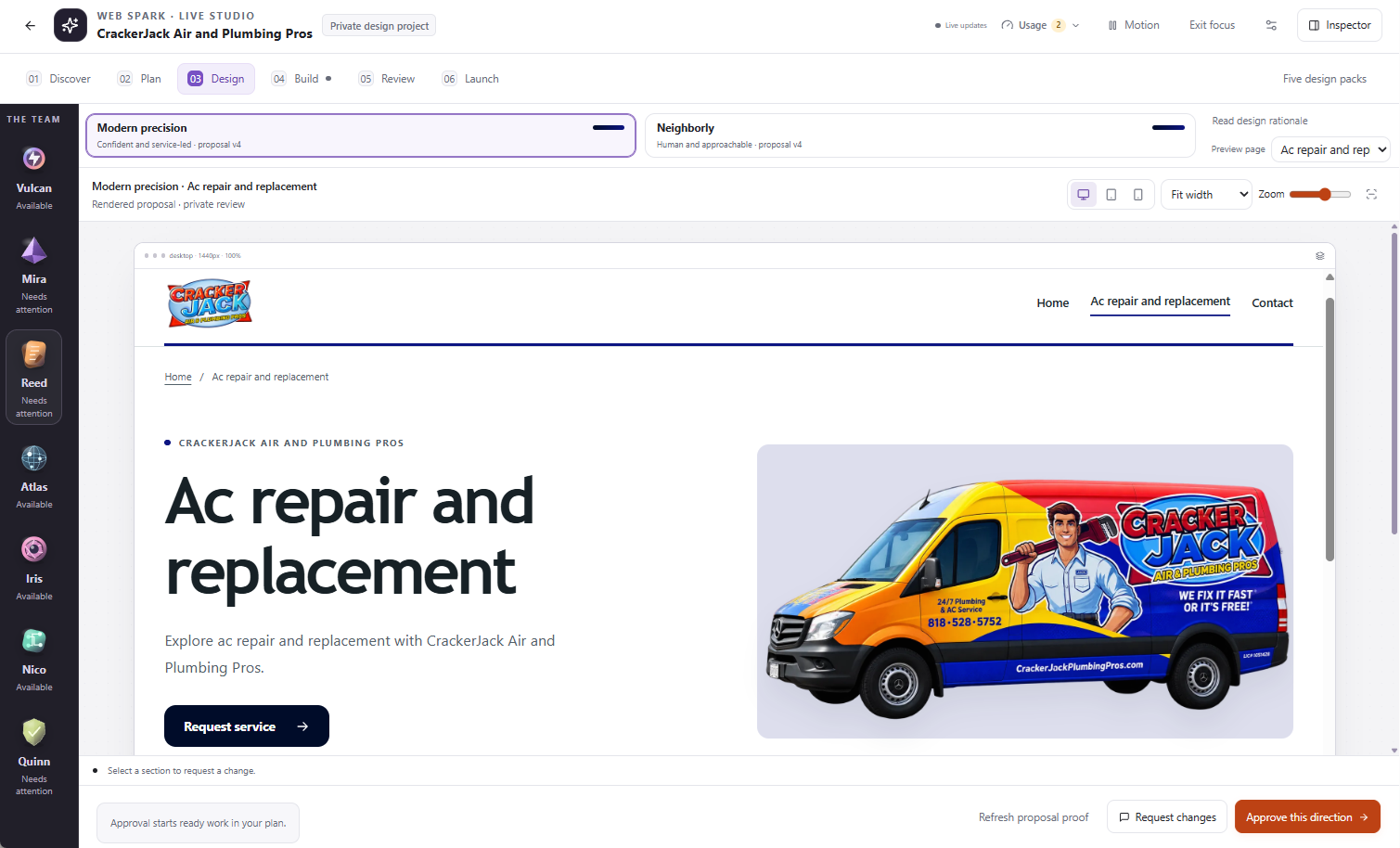
Compare the directions, inspect a representative page, and check device previews before approving the design.
One director, six specialist agents
Vulcan coordinates the project. Mira shapes art direction; Reed writes copy; Atlas plans architecture and search-friendly structure; Iris works with brand imagery; Nico handles supported contact journeys; Quinn performs independent review. Their names describe responsibilities, not people employed on your account or a promise that all seven are always working.
You remain responsible for confirming services, locations, prices, claims, media permissions and the final website. An AI review is not a legal opinion, accessibility certification or guarantee of search performance.
The six-stage Studio
- Discover: gather your business information, vision and approved assets.
- Plan: review the page architecture and scope.
- Design: inspect a visual direction and request refinements.
- Build: follow saved pages, target changes and answer questions.
- Review: inspect findings and select work that is ready.
- Launch: prepare an approved website release and complete the separate publishing checks.
The Studio may start ready work after a plan or direction approval. Read the approval summary: it can authorize generation without authorizing public publication.
What the other products do
Web Spark builds the website. Site Spark provides supported visitor experiences such as forms and booking-related paths when separately available and configured. Proof Pulse supplies supported proof experiences. Work Mode is the broader Vulcan Intelligence environment for supported work across applications; its entire connection library is not automatically included in a Web Spark website.
Build cost, hosting and domains
A build package supplies creation capacity. Hosting is a separate recurring service for the public website. Domain registration, additional generation and optional Expert Assist may be separate purchases. Check the current quote in Billing rather than assuming that a platform trial includes a free website build.
Explore before you start
Visit the Web Spark product page, the Live Wire Electric case study, or the public broadcast. The broadcast presents selected saved previews; it is not your private editor and does not mean agents are constantly generating changes.