
Get oriented in Studio
The project header identifies your website. The stage navigation contains Discover, Plan, Design, Build, Review and Launch. The team rail selects a specialist; the central canvas shows the website; the Inspector gives you agent, component and conversation context. Focus mode makes more room for the project without publishing anything.
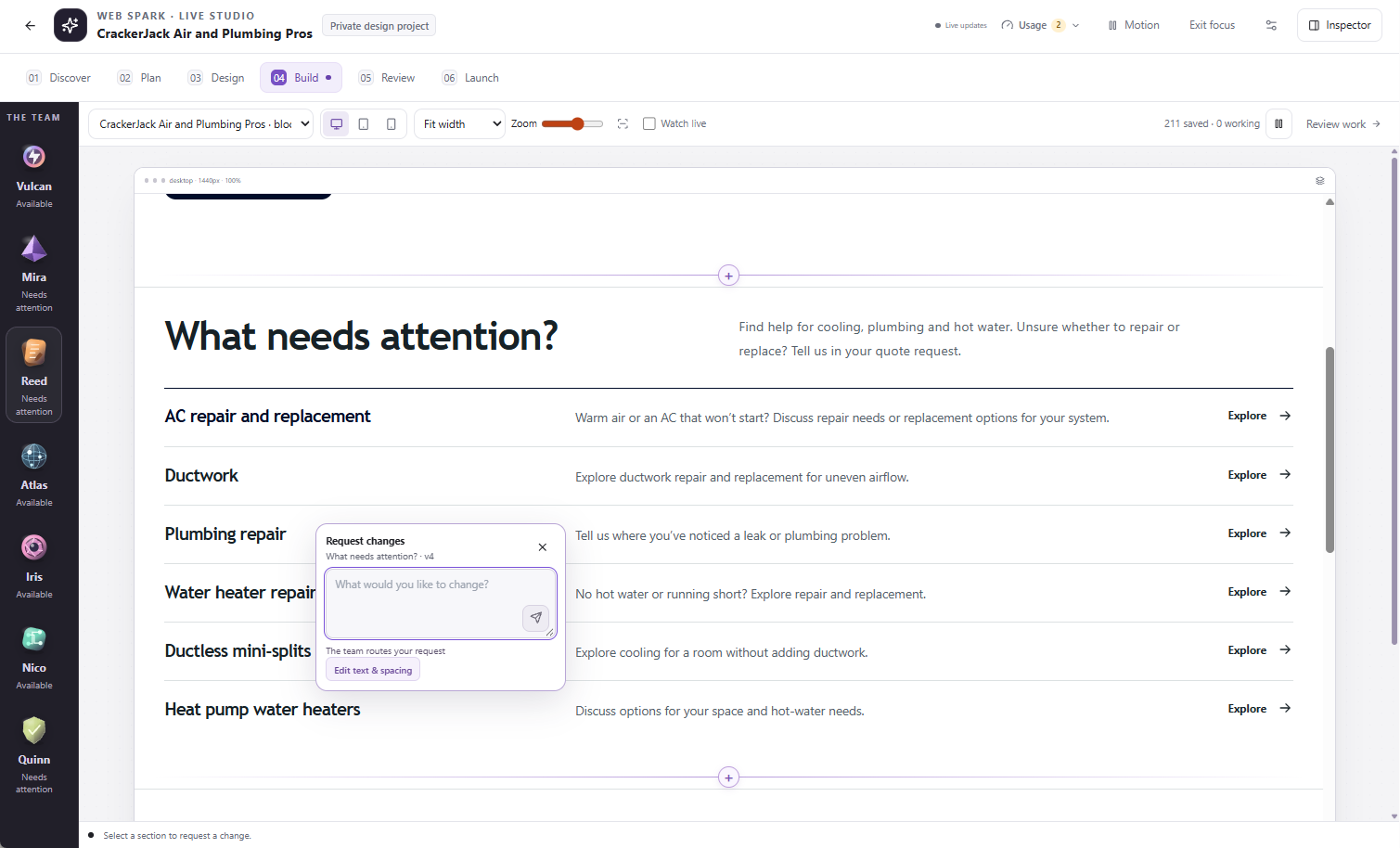
Select the section you want to change. The request stays attached to that page and section.
Who does what?
- Vulcan — Creative director: keeps the vision, priorities and team moving together.
- Mira — Art direction: shapes layout, color and responsive design.
- Reed — Conversion and copy: writes service explanations, headlines and calls to action.
- Atlas — Architecture and search: plans pages, navigation and search-friendly structure.
- Iris — Brand and imagery: works with imagery, brand assets and original artwork.
- Nico — Connections and journeys: connects supported forms, booking and customer contact paths.
- Quinn — Independent review: checks visual, content and accessibility issues separately from drafting.
Selecting an agent changes your working context. It does not give that agent unrestricted access, authorize a purchase or prove a task is running.
Use the preview controls
Choose the page in the selector, then switch between desktop, tablet and phone previews. Fit width and zoom help you inspect the canvas. A smaller zoom is not a replacement for the actual phone preview: test the layout at the device width you intend to support.
Choose a section to inspect it or request a targeted change. The Inspector’s Component and Conversation views help keep the instruction attached to the right work. Check the page and highlighted section before sending.
Understand status before acting
Available is an idle state, not a failure. Needs attention or a blocked task can indicate a question, missing evidence, approval, usage restriction or failed step. Open the relevant task or question to learn why. A count of saved pages is not a count of published pages.
A task can be waiting on another task. Repeatedly asking all agents to continue is less useful than resolving the specific dependency shown in the project.
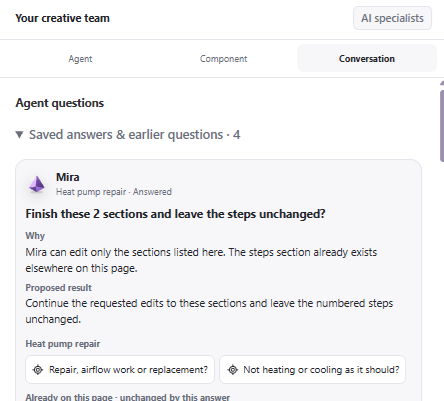
Open the question to review its reason and exact scope before answering. This is a detail crop of the supplied Studio capture.
Watch live, motion and history
The Studio’s Watch live control follows relevant saved work on the canvas. It may pause to protect unfinished edits. It does not publish the project to the public broadcast. Motion controls affect the interface presentation, not authorization to perform work.
When looking at saved history or a replay, return to the current project before editing. Do not assume a historical preview is the current draft or public release.
Give the team a useful instruction
State the target, the change, what should stay unchanged and the expected result. Example: “On the panel-upgrade page, shorten the introduction to two sentences. Keep the approved warranty and contact buttons unchanged. Show the draft before publishing.” Resolve factual questions explicitly rather than letting the team invent details.