
Keep the live version and working draft distinct
A live website can remain available while you prepare changes privately. Before editing, identify the website and current saved page. Use history to understand prior work, but return to the current version before making changes. A historical preview is not an editable branch by itself.
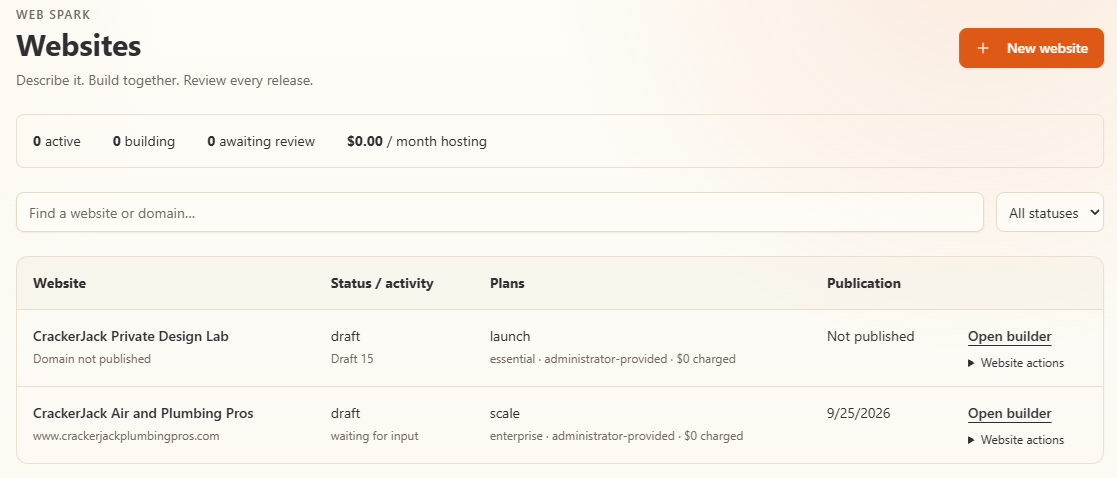
Use Open builder for the correct website. Status, plan, and administrator-provided access labels in this example are not standard plan entitlements.
Make a controlled update
- Open the live website’s builder and select the page to change.
- Make a focused request or use supported manual controls.
- Wait for the saved draft and inspect the result at relevant device widths.
- Resolve new questions and review findings.
- In Launch, select the reviewed changes and inspect the complete merged draft.
- Review the exact publication candidate and approve the release.
- Check the public address and changed routes after publication.
A seasonal offer update, for example, should preserve unrelated services, contact information and policy pages. Confirm both changed and retained content in the merged preview.
Handle concurrent changes
If another user or task saved a newer revision, do not force an old edit over it. Preserve your unsaved instruction, load the newer state and review the overlap. A changed source can require a refreshed candidate or another approval.
Do not assume the selected-page release is safe just because only one page was checked. Confirm any shared design, navigation, asset or connection changes included in the candidate.
Use history as evidence
History and Activity help connect saved pages, tasks and publication operations. Access to older history depends on your plan. Retained content is not a guarantee of indefinite customer-accessible history or a substitute for understanding the export terms.
Record the release reference when making an important change. This helps support distinguish a content problem from a domain, hosting or cache problem.
Restore a verified release
Where the publication interface offers restore, choose a previously verified release and inspect its content, domain and connection configuration. Follow the exact restore approval. Do not assume restoring content restores every external account or old DNS configuration.
Check the public website afterward. A restore is a public change and may require current ownership, certificate, hosting and permissions. If the old configuration is no longer valid, resolve that dependency rather than bypassing checks.
Pause, resume and archive
The website list has lifecycle actions such as Pause website, Resume website and Archive website. Read their confirmation carefully; they affect more than what is visible in the editor. Do not use them casually as an alternative to closing a browser tab.
After a pause or hosting lapse, resuming access does not silently republish an old approval. Use Prepare draft for republication when offered and follow a fresh review and publication. Check retained content, billing and domain arrangements before archiving.